posthuman
LAP-BAND Patients
-
Joined
-
Last visited
-
-
-
-
-
-
-
-
-
-
1 week and 1year after surgery, a weight loss surgery photo album by posthuman on BariatricPal. 3 photos in Member Photo Gallery.
-
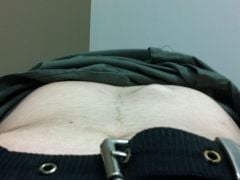
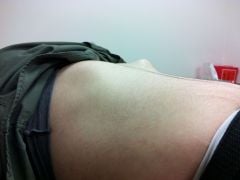
before port revision, a weight loss surgery photo album by posthuman on BariatricPal. 2 photos in Member Photo Gallery.
-
-
-
I can't eat lettuce! I'm to scared to eat anything white.
-
-
It's normal. The swelling in your stomach went down. Just follow your post op diet. Once you start getting fills it will be back.
-
Perfect foods bars are amazing, and the peanut butter one has 18g of protein.
-
Sounds like something is stuck. It's very uncomfortable and has lasted up to two days for me. Maybe try chewing some papaya extract. The enzyme is suppose to help with digestion. I haven't tried it yet but I bought some just in case.
-
-
-
posthuman, a weight loss surgery photo album by posthuman on BariatricPal. 2 photos in Before and After Lap Band Photos.
-
Only one incision. My doctor went through the original scar, and it was just the knife scar not the laparoscopic ones. The armpit seems odd. But who knows..boobs go through armpits.
-
-
Mine was the same way, a huge golf ball and I felt like it stuck out further than anything so it got banged into all the time. I found myself automatically protecting it. If I could attach a pic I would. My doctor used the same incision. He had another doctor in there to stretch and hold the skin open while he moved the port. I'm guessing its between my rib cage and stomach muscle. He cut into the muscle. I can't feel it anymore unless I dig around looking for it. It's pretty amazing. It makes for interesting adjustments. The needle going through the muscle to get to the port. It sounds worse than it is. It's not bad at all. Next time I see my doc ill ask more questions about it and let you know.
-
My port stuck out so far from all the weight that I lost, it bumped into everything and was pretty painful so last year I had a port revision surgery and my doctor put a smaller port in under my stomach muscle and it is so much better. It no longer hurts during workouts and it doesn't get banged around anymore.
-
-
I haven't used this app in a long time but I want to start up again. I think having lap band buddies on there would be a huge help. My user name is ph0enix.