





jarchuleta
LAP-BAND Patients
-
Joined
-
Last visited
Everything posted by jarchuleta
-
800-1000, not enough, almost fainted yesterday, took Vit B shot, totally religious of vitamins too :-(
-
i JUST GOT MY SECOND ALSO, i AM at 6.5 cc...everyone is different, do not let ppl tell you how much you should have and shouldn't.../a gentleman at our doc office lost 145 on 2 cc, so?? I noticed the tightness, expecially in the AM. If you had 7 cc were you full? If so, why go in for a fill?regardless of the amount in your band, do it until it fits you. Someone else green zone could be 9 or 3 cc
-
VITAMINS!!!!!!!!!!!!!!!!!!!!!!!!!!!!!!!!
-
I LOST WEIGHT OVER HOLIDAY WEEKEND, FIRST TIME EVER!
-
Most insurance companies WILL NOT touch it. However, there is an awesome hospital in Mexico that comes highly recommended, I know 4 people recently and a fifth getting done in June. about 25% of what it costs here, beautiful resort, husband can go and enjoy. They pick you up at San Deigo airport.....http://hospitaljerusalem.com.mx/ My fgriend had both her sleeve and skin done there. I am going in September.....payments through paypal so it is all guaranteed. American doc too....
-
Who knew, after a holiday weekend and a full day of tailgating, I LOST WEIGHT!
-
Muscle milk and mashed potatoes got me rhtough. Make ur taters with garlic n chicken broth. Make them somewhat runny n eat with baby spoon. You get full so fast.
-
Vitamins. Get hooked on gummies. Vit d, b12 n multi
-
Hi group. Well got second fill to 5.5. Tight feeling so that's good. Down 58 pounds since sept. slowed last three weeks which is expected. Still logging on my fitness pal so add me! Lol. Just adding an update. Take care all.
-
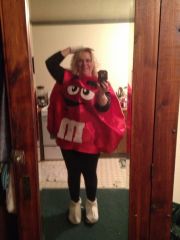
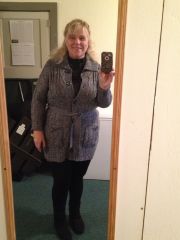
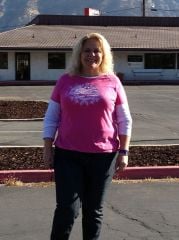
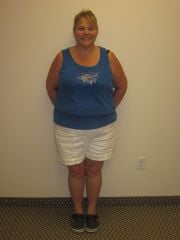
Jan A, a weight loss surgery photo album by jarchuleta on BariatricPal. 5 photos in Before and After Lap Band Photos.
-
HI GROUPIES. I havent been on here for awhile, been tracking everything religiously in Fitness Pal; Janner146 if you are on it and want to add me.....down 54 pounds this AM! Surprising....OK TODAY is a new day! I was SOOOO BAD YESTERDAY! The most calories since I started this whole pre diet process OMG. AND the first time i cheated too!! (Started pre diet 08/19, surgery 09/12) Oh well, Halloween. At least I was honest on it. I worked extra hard swimming this AM. Now I cannot move LOL Hope everyone is doing good, it will take me a couple days to catch up on reading here i can tell LOL....Jan
-
Janner146 - Nevada - Banded 9/12!
-
I looked and some stores do carry it. Usually in with slim fast or lately in cooler section with energy drinks. Janner146 - Nevada - Banded 9/12!
-
Okay ladies and your ens, how much Beans do you use? I want to learn how to cook n eat beans but wow. Chili causes serious as. Help? Janner146 - Nevada - Banded 9/12!Dark angel sas this state is known as " band hell" And I totally agree. I have been so hungry lately. I increased yesterday my Protein and it seemed to work. eggs and muscle milk saved me. Good luck. Janner146 - Nevada - Banded 9/12!Did you go buy some of that muscle milk light Yet? I am telling you it is so so good. Walmart has it I do chocolate. Janner146 - Nevada - Banded 9/12!Missy, Are you on MyFitnessPal. It would be nice for those of us that want to read your food diary as you go along. Or went along congratulations Janner146 - Nevada - Banded 9/12!My doc gave me liquid Vicodin,ask yours. Are you on myfitnesspal.com? Janner146 - Nevada - Banded 9/12!
Account
Navigation
Search
Configure browser push notifications
Chrome (Android)
- Tap the lock icon next to the address bar.
- Tap Permissions → Notifications.
- Adjust your preference.
Chrome (Desktop)
- Click the padlock icon in the address bar.
- Select Site settings.
- Find Notifications and adjust your preference.
Safari (iOS 16.4+)
- Ensure the site is installed via Add to Home Screen.
- Open Settings App → Notifications.
- Find your app name and adjust your preference.
Safari (macOS)
- Go to Safari → Preferences.
- Click the Websites tab.
- Select Notifications in the sidebar.
- Find this website and adjust your preference.
Edge (Android)
- Tap the lock icon next to the address bar.
- Tap Permissions.
- Find Notifications and adjust your preference.
Edge (Desktop)
- Click the padlock icon in the address bar.
- Click Permissions for this site.
- Find Notifications and adjust your preference.
Firefox (Android)
- Go to Settings → Site permissions.
- Tap Notifications.
- Find this site in the list and adjust your preference.
Firefox (Desktop)
- Open Firefox Settings.
- Search for Notifications.
- Find this site in the list and adjust your preference.