
PrincessDaffodil
LAP-BAND Patients
-
Joined
-
Last visited
Everything posted by PrincessDaffodil
-
Thank you so much Lassie. You have several questions listed that I hadn't thought of! No problem djbryan, that's why we're here. We can all learn something from each other.
-
Thank you all! I'm getting nervous and excited about tomorrow. What kinds of questions should I be asking? I'm afraid that I will forget everything once I get to the Doctor's Office. Eeek!
-
Hi all! I am new to LapBandTalk. I am 34 years old, I have been married to my wonderful husband for 12 years, and we have a beautiful 10 year old son. I have been an elementary music specialist for 12 years. My first LapBand appointment is scheduled for Monday, July 2nd. I am meeting with the main doctor, a psychologist, and a nutritionist. I am nervous, but I am hopeful as well. I have been having a lot of issues with my CSF pressure since March, and am hoping that if I can lose the excess weight, those problems will be resolved. I am grateful that there is a forum where we can all support one another. I am sure I will be needing support in the future if my LapBand procedure is approved. It will be great to meet all of you.
-
These are photos of me from the past several years. I will keep them on my iPhone as inspiration while I am losing weight with my Lap Band. :)
-
 New Haircut - May 2012
-
 With Theatre Teacher - March 2012
-
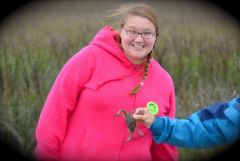 Catching a Crab 2012
-
 January 2012
-
 December 2011
-
 Christmas Party 2011
-
 With My Sister 2011
-
 Daytona Turkey Run 2011
-
 Thanksgiving 2011
-
 Halloween 2011
-
 Bowling - Summer 2011
-
 Trying to Take a Family Photo - Summer 2011
-
 Florida Beach - Summer 2011
-
 Jockey's Ridge - Spring 2011
-
 OBX - Spring Break 2011
-
 Spring Break 2011
-
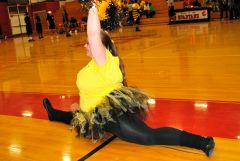 Doing a Split 2011
-
 Bee-Ball Game - March 2011
-
 Florida Beach - February 2011
-
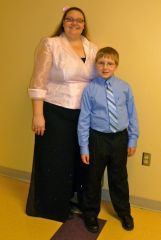 Winter Performance 2011
-
-
PrincessDaffodil, a weight loss surgery photo album by PrincessDaffodil on BariatricPal. 1 photo in Before and After Lap Band Photos.