





dbritt
LAP-BAND Patients
-
Joined
-
Last visited
-
-
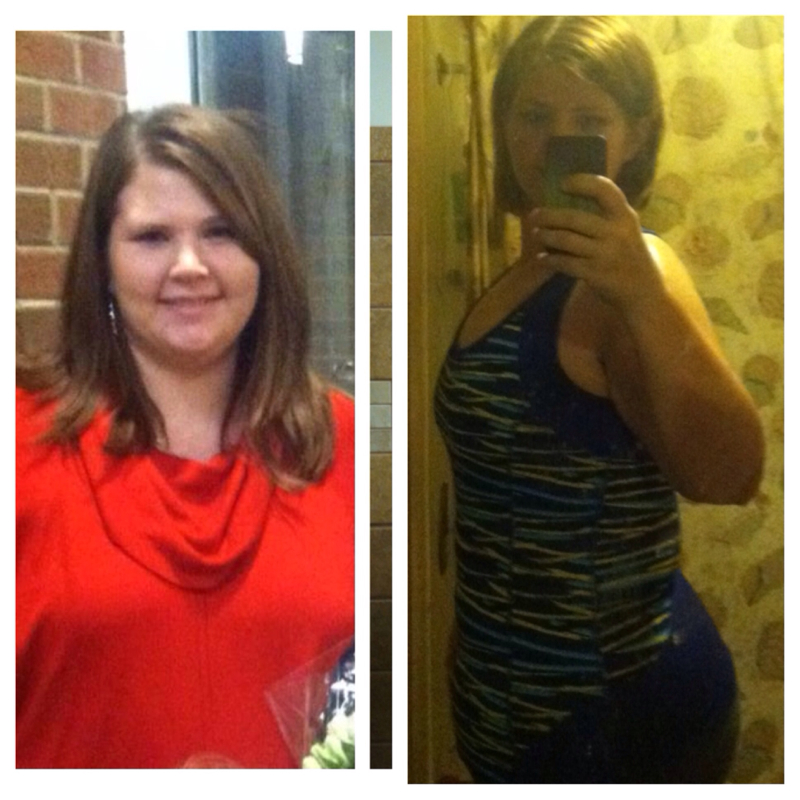
You are doing awesome! I have lost 110 lbs. I was 310 and I am now 199 and training for a 10k. I was in a tight 26 jeans and I am now in a comfortable 16. I have gone from a XXL -XXXL scrubs at work to a large. I feel better than I have in years! Sent from my iPhone using VST

-
-
-
-
-
I just added both of you! Sent from my iPhone using VST
-
-
We have to have an email address to be able to find you. Mine is dbritt@comcast.net Sent from my iPhone using VSTLevsin for the cramps and Zofran for the nausea. I hope you feel better soon! Sent from my iPhone using VSTGood luck. You all will do fine. I had surgery Monday and the worse thing for me has been the spasms. Getting better though. Sent from my iPhone using VSTThank you!! Sent from my iPhone using VSTFinally home from the hospital. Thankful for my own bed. I am sore and the spasm are painful but they are quick. Now for a decent nights rest. Sent from my iPhone using VSTHad surgery this morning. Been in a room since noon. Feeling ok. Worst part in the gas and some cramping. Sent from my iPhone using VSTMy surgery is in the morning so I am doing the mag citrate right now. I can totally see how you can get dehydrated. Wow! Sent from my iPhone using VSTMine is Monday too! Good luck! Sent from my iPhone using VSTMe too! Good luck!! Sent from my iPhone using VSTJust finished my pre testing and upper gi. Everything is good so far. I go to see the surgeon Wednesday and then surgery on Monday. Good luck to everyone! Sent from my iPhone using VST

Account
Navigation
Search
Configure browser push notifications
Chrome (Android)
- Tap the lock icon next to the address bar.
- Tap Permissions → Notifications.
- Adjust your preference.
Chrome (Desktop)
- Click the padlock icon in the address bar.
- Select Site settings.
- Find Notifications and adjust your preference.
Safari (iOS 16.4+)
- Ensure the site is installed via Add to Home Screen.
- Open Settings App → Notifications.
- Find your app name and adjust your preference.
Safari (macOS)
- Go to Safari → Preferences.
- Click the Websites tab.
- Select Notifications in the sidebar.
- Find this website and adjust your preference.
Edge (Android)
- Tap the lock icon next to the address bar.
- Tap Permissions.
- Find Notifications and adjust your preference.
Edge (Desktop)
- Click the padlock icon in the address bar.
- Click Permissions for this site.
- Find Notifications and adjust your preference.
Firefox (Android)
- Go to Settings → Site permissions.
- Tap Notifications.
- Find this site in the list and adjust your preference.
Firefox (Desktop)
- Open Firefox Settings.
- Search for Notifications.
- Find this site in the list and adjust your preference.