-
-
X-mas pic 6 months later...
Looking good!!! Keep it up
-
-
Jealous boyfriend cannot handle my weight loss!
Hey girl! I'm 24 as well and I had the same issues with my bf!! I recently broke up with him 2 weeks ago because I could not take it anymore!! We were together for 3 1/2 years and I finally had the strength to leave him! I hope what you do is what is right for you. I feel happier than ever and don't regret it
-
It works products
Has anyone used the it works! Ultimate body applicator? Thank you
-
Excess skin
- My 2Urn...
Keep up the great work!- Cold
Ohh this is happening to me as well!!! I'm always cold!! Hands and feet specially- Before And After Pic
What a difference!! Keep it up- My First Goal I Finally Hit It
Congrats!!- For Those Who Started At 250
I started at 268 and I was 200 at about 5 months out!!- I Can't Drink One More Protein Shake!
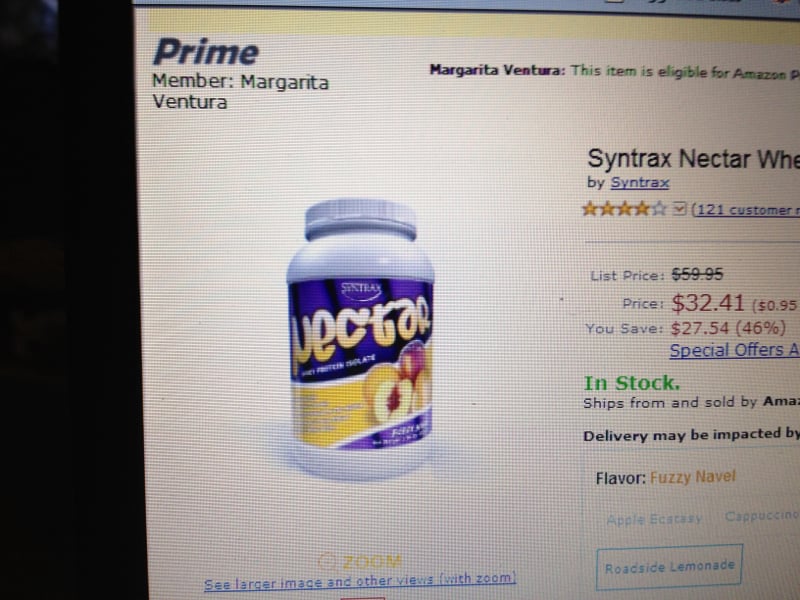
My nutritionist told me to stop drinking shakes at 4 months out but it really slowed my weightloss to 3 lbs a month!! I started drinking them again I should try this flavor it's really good and I hated protein shakes- I Have Made My First Goal....my Wedding Day!
Congrats!!! You look really happy!!- Halloween Costume
I think your costume looks great!!!!!- Halloween Last Year Omg!
- My 2Urn...
Join BariatricPal free
- Ask your own questions
- Reply and follow topics
- Message other members
- No cost, no spam
Account
Navigation
Search
Configure browser push notifications
Chrome (Android)
- Tap the lock icon next to the address bar.
- Tap Permissions → Notifications.
- Adjust your preference.
Chrome (Desktop)
- Click the padlock icon in the address bar.
- Select Site settings.
- Find Notifications and adjust your preference.
Safari (iOS 16.4+)
- Ensure the site is installed via Add to Home Screen.
- Open Settings App → Notifications.
- Find your app name and adjust your preference.
Safari (macOS)
- Go to Safari → Preferences.
- Click the Websites tab.
- Select Notifications in the sidebar.
- Find this website and adjust your preference.
Edge (Android)
- Tap the lock icon next to the address bar.
- Tap Permissions.
- Find Notifications and adjust your preference.
Edge (Desktop)
- Click the padlock icon in the address bar.
- Click Permissions for this site.
- Find Notifications and adjust your preference.
Firefox (Android)
- Go to Settings → Site permissions.
- Tap Notifications.
- Find this site in the list and adjust your preference.
Firefox (Desktop)
- Open Firefox Settings.
- Search for Notifications.
- Find this site in the list and adjust your preference.