




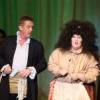
meloney
LAP-BAND Patients
-
Joined
-
Last visited
-
So it's been a while. I have been uber busy with work and tutoring and the theater, so I haven't made much time for anything else. Including eating right and exercising. So it's no wonder that I haven't seen much weight loss since my fill. Consequently, I got discouraged today when I weighed myself and the scale was still resting in the mid-260s. And then I ate. Not because I was hungry, but because it was there. And it wasn't healthy. And it wasn't particularly enjoyable. And I didn't get full. How can I not get full when I have 8ccs in my 10cc band? This makes no sense to me. I'm feeling frustrated and a little discouraged. I knew I wasn't eating right during the past two weeks and I blamed my crazy hectic schedule and promised myself I would do a "band test" after the play closed. Well, we closed Friday night and I start the band test tomorrow, so at least I didn't blow that. But I was really hoping to be out of the 260s by my next fill on Thursday and I really don't see that happening. Especially after that very large piece of banana bread (complimentary from the breakfast restaurant because they forgot to give me my beef bacon; I never would have ordered it!) and that homemade nacho dip with corn tortillas (because it was there). I've been good with portion control, but I have been eating too fast and certainly not the right things. Just because I can eat one cheeseburger over the course of four meals doesn't mean I should! I need to remember not to beat myself up over the bad choices and to praise myself for the good ones. Like declining the offer every time someone tries to hand me chocolate or soda or chips, which I would've said yes to pre-surgery. Or climbing the stairs sometimes - though not as often as I should - instead of taking the elevator. And despite my poor choices, at least I haven't gained. I've always said I'm very good at maintaining. Well, here we have it. A very high stress month and I haven't gained. I should be happy about that. Shouldn't I? But I didn't have the surgery so I could be happy because I didn't gain. I had it so I could lose! I want to be a loser! Well, now that the show is over, I can focus more on my food intake and exercise and hopefully get back on track. I really wish that this country had a support group for people with the band so that I had a network here of people to encourage me and advise me. I feel I'm going at this sort of...blindly. I want to talk to people who have been successful and find out what they did so I can do it, too. Any advice, guys? What's worked for you?
-
So it's been a while. I have been uber busy with work and tutoring and the theater, so I haven't made much time for anything else. Including eating right and exercising. So it's no wonder that I haven't seen much weight loss since my fill. Consequently, I got discouraged today when I weighed myself and the scale was still resting in the mid-260s. And then I ate. Not because I was hungry, but because it was there. And it wasn't healthy. And it wasn't particularly enjoyable. And I didn't get full. How can I not get full when I have 8ccs in my 10cc band? This makes no sense to me. I'm feeling frustrated and a little discouraged. I knew I wasn't eating right during the past two weeks and I blamed my crazy hectic schedule and promised myself I would do a "band test" after the play closed. Well, we closed Friday night and I start the band test tomorrow, so at least I didn't blow that. But I was really hoping to be out of the 260s by my next fill on Thursday and I really don't see that happening. Especially after that very large piece of banana bread (complimentary from the breakfast restaurant because they forgot to give me my beef bacon; I never would have ordered it!) and that homemade nacho dip with corn tortillas (because it was there). I've been good with portion control, but I have been eating too fast and certainly not the right things. Just because I can eat one cheeseburger over the course of four meals doesn't mean I should! I need to remember not to beat myself up over the bad choices and to praise myself for the good ones. Like declining the offer every time someone tries to hand me chocolate or soda or chips, which I would've said yes to pre-surgery. Or climbing the stairs sometimes - though not as often as I should - instead of taking the elevator. And despite my poor choices, at least I haven't gained. I've always said I'm very good at maintaining. Well, here we have it. A very high stress month and I haven't gained. I should be happy about that. Shouldn't I? But I didn't have the surgery so I could be happy because I didn't gain. I had it so I could lose! I want to be a loser! Well, now that the show is over, I can focus more on my food intake and exercise and hopefully get back on track. I really wish that this country had a support group for people with the band so that I had a network here of people to encourage me and advise me. I feel I'm going at this sort of...blindly. I want to talk to people who have been successful and find out what they did so I can do it, too. Any advice, guys? What's worked for you?
-
Yesterday (I'm writing this a day late) I had my first fill. This was an interesting experience. Now, some of you may be trepidatious of needles. I, fortunately, am not. In my first career I was a dental assistant, so I am okay with bodily fluids and needles. However, I am not okay with seeing my own blood. So, overall, the appointment went well. I weighed in, laid down, and my surgeon requested his syringe o saline. He felt around for my port and asked me to sit up slightly (like doing a crunch), sprayed me with topical anesthetic, and pushed his syringe into my abdomen. This was all fine. What was not fine was that I looked at his face. More specifically, his glasses. More truthfully, the reflection of my abdomen, his syringe, and my blood in his glasses. Oh, joy. So I left with 3cc more saline (making 8cc total in a 10cc band) in my band and a slight case of nausea. Things I did not expect, aside from seeing my blood: A. that he would put in 3cc. I thought surgeons only put in 1cc at a time. I'm not complaining, as I felt I was able to eat far too much food prior to the fill, but I was surprised. B. that I would have to go back on clears for 5 days. Seriously? You let me experience the wonderful world of food again and then you savagely rip it from my grasp? And does it really have to be clears? Can't it be just liquids? At least then I get some variety! Anywho, here I am, once again blogging from the cab on my way to tutoring. I am officially -11kilos (24.2lbs) since my 5 January surgery. I am feeling great and continue to look forward to my life changing for the better.
-
-
Tomorrow marks 4 weeks since I was banded. Things are going well, though for the past two weeks I've been absolutely crazy with work and tutoring and the theater. So here I am sitting in the taxi on my way to tutoring session one of two prior to going to the theater this evening and I'm typing up my update on the goings on. Thursday, I bought sneakers. Not one pair. Two. It took me almost my entire shopping trip to pick out just the right shoes. Perhaps this is why I buy sneakers so infrequently. It's not my fault this country doesn't carry New Balance. If they did, I could've popped in, grabbed a pair of my usual sneakers, and popped out. And then I would've had time to go grocery shopping. As it is, today marks three weeks since I last went for groceries. I simply have no time. That's a lie. I don't make the time. And I don't like having to go to the grocery store that's open 24 hours because a) it's more expensive and inevitably there are small children wandering the aisles at 3am, which infuriates me. Perhaps because I have been relying on canned soup or whatever I already had in the freezer, or because I haven't been heeding C's threats against riding the elevator, or because I've been royally stressed for the past two weeks of work, I don't know, maybe all three, I haven't been able to get beyond -18lbs. This I find to be terribly frustrating. One more pound and I've reached my first goal. One. Measly. Little. Pound. And it's not like I can take off my shoes or anything, because I weigh myself naked. So, between IEP Progress Reports, Academic Progress Reports, my Professional Learning Plan, getting a new student three weeks ago who's much lower than my other students, and getting a new student this coming Sunday who's much higher than my other students and has no need to be in a special needs school, work has been really stressful. Add to that the fact that my coworkers keep commenting on how much weight I'm losing. I know they mean well, and I know it should make me happy, but the sick psychosis of things is that for a good portion of my life I wanted to pack on the weight. I wanted to hide behind fat and be unattractive. I've dealt with it. I really have. And I feel good about myself. As long as no one makes a big hairy deal about the fact that "it really shows" that I've been losing weight. Stupid brain. Anywho, tomorrow is my official weigh in with my surgeon and hopefully my first fill. For the most part I'm not experiencing hunger, but I'm also not experiencing fullness. I really want that sign that I've had enough to eat. Here's hoping...
-
-
-
-
So, in an email yesterday my bandster friend C had a mama moment and told me that the money I spent on my band would be wasted if I don't exercise. She said that I am no longer allowed to ride the elevator at work unless Tom Cruise was waiting on me. My email reply: Can it be unless Clive Owen is waiting on me? I tried walking up the two flights of stairs and made it through 36 steps before my legs started burning. The last 12 of 48 were a killer. *gasp*cough*gasp*cough*cough. But I did it! This morning, as is my routine upon arriving to work, I hailed the elevator and, as I stepped on, I saw a half sheet of paper taped to the wall of the elevator. There, looking out at me, was Clive Owen. The words read "You weren't really going to take the elevator were you?....... I'm watching you....... You never know where I'll be....... xoxoxo - Clive." Which caused me to laugh out loud. And turn around. And walk up to the second floor to see my friend C, laughing the whole way. She said she had been waiting to hear my laugh. And then she apologized for forgetting that I work on the third floor, stating that I need to start small. Silly C. And yet, I still have a smile on my face, glancing frequently at Clive Owen looking out at me from the side of my computer monitor.
-
So, in this wonderful adventure of pureed foods, I acquired some produce to make mashes: parsnips, turnips, cauliflower, red potatoes. Now, in Kuwait it is very challenging to keep fresh veggies from spoiling. Unfortunately, by the time I got around to doing my mashed parsnips and mashed cauliflower, both had begun to die slow, horrible deaths. I painstakingly salvaged what I could of the veg and commenced my juggling act of pots and emulsion mixer. Sadly, I ended up with far less mash than intended. This, however, is not the worst part. I finished the parsnips, put the cauliflower on to steam, and commenced to boiling the potatoes. I stepped away for a minute (not really a minute, but still) and by the time I returned to my pots both had begun to burn! I can see how I burned the steaming cauliflower - I don't have a steamer. But how did I burn a pot of boiling potatoes? Super skill. Again, I salvaged what I could and ended up with a small pot of mashed potatoes and about two cups of mashed cauliflower. My lemonade out of lemons. As it was time to feed myself (I'm still not hungry), I dished up a cup of mashed potatoes and added some sour cream. Now, since surgery I have been eating a cup of food every few hours to make sure that I am getting enough food into my body because my body is not sending me a signal that it needs food. This has been relatively successful. However, this time I ended up stopping after half a cup of food! I GOT FULL. On half a cup of mashed potatoes. The girl who used to have a couple of heaping serving spoonfuls of mashed potatoes (artfully sculpted into a scale model of Mt. Fuji with hidden butter magma inside which splooshed out upon squishing the volcano), was full on half a cup of unbuttered mashed potatoes! Amazing.
-
-
-
Ten days! Aside from my abdomen feeling "tight" as my body heals and my incisions stinging and itching, it feels weird to think that today is only the tenth days since surgery. I have settled back into my regular, crazy routine and am adapting well to my new diet. I must say, though, that it's very nice to not have to drink broth anymore. Theater - Rehearsals for "Arsenic and Old Lace" are in full swing and I am working on developing my character. Am I stern? Am I independent? Am I the one who forced my crazy, sociopathic nephew to move away? I think yes. But then again, I do believe it is charitable to put lonely old bachelors out of their misery by poisoning their wine... Teeth - I have found it rather difficult to come by chewable vitamins in this country. Thus, I opted for a liquid multivitamin which, as it turns out, tastes awful. Today I had my second dose and I can assure you it will be my last. As I was taking the elevator downstairs during my break, I scrutinized myself in the mirror, as I am prone to do, and noticed that the edges of my incisors (front teeth) were rather dark. Having worked as a dental assistant in my first career, I instantly freaked out, fearing that this change in diet had somehow had adverse effects on my oral health! At the end of my break, having rationalized what could possibly be the cause of said darkening, I stuck out my tongue in the mirror and learned that it, too, was rather black. I immediately commenced to brushing my teeth and tongue with vigor (I hate - gag - brushing - gag - my tongue) and had some significant success. However, it would appear that I now need to make an appointment with the dentist to get my teeth pumiced sooner than my six month check up five months from now. Grrr. Next mission: dispose of liquid multivitamin (made in Ireland - perhaps an explanation for the notoriously poor appearance of the teeth of those in that area; apologies for the over generalization) and hunt again for a chewable.
-
Okay, so I have no problem with the water intake or the not drinking anything 15 minutes before meals or an hour after meals. However, what I do have a problem with is the scungy feeling I have on my teeth and my throat's need for something just after I eat. Can't I just have one sip of water to rinse out my mouth and throat after I eat? It's quite vexing and uncomfortable for me!
-
-
Firstly, lapbandtalk pooped out for three days! I'm not sure what that was about, but it certainly put a kink in my plans to post on my progress daily. I thought it was just here in Kuwait, which is understandable because the government censors our internet and the internet isn't of particularly great quality to begin with, but some friends in others countries weren't able to get on either. Thus, it was not a Kuwait thing; it was a lapbandtalk thing. So, to catch you up on the goings on... (And in no particular order) To add to the wonderful pleasures of post-op recuperation, my period decided to make an appearance. Granted, it wasn't early, it wasn't late, I just forgot it was coming. Yay! I guess the most interesting thing that occurred over the past few days was the pop. Tuesday night riding home from rehearsal, my carpool chica told me I could adjust the thermostat and radio as I like. So when a horrid rappish song came on (I say rappish because it was attempting to be rap and failing miserably) I reached to turn off the radio to prevent my ears from being assailed by the (ahem) musician's attempt to modernize and secularize a classic Christmas song ("Do You Hear What I Hear") into a song about DJs. Upon reaching, I felt a pop right mid-torso followed by a spreading warmth/burning sensation. Since that evening, any time I cough, sneeze, or get up from laying down it HURTS there. I told my bandster friend C and she said it sounded like I popped one of my stitches. So I called my doctor, who wanted to know how soon I could see him. By this point I had moved beyond the worry of popped stitches and onto the worry of an incisional hernia. As it was my planning period, I rushed right across to the hospital (the convenience of working so close) and he checked me out. The good news is that nothing has popped and I have no hernia (he actually said that was highly unlikely) and apparently just angered one of my muscles and should, therefore, take it easy. In the same visit, they removed my plasters (what they call bandages here). This is a celebration because I'm moving along in my healing process. But I wanted them back! The shirt I was wearing was empire waist and kept rubbing up against my incisions! It didn't hurt, but it was so annoying! When I popped into my apartment between work and grocery shopping, I practically ripped the thing from my body and swapped it out for a shirt with absolutely no waist definition whatsoever. And breathed a sigh of relief. After the removal of the bandages, I was contemplating not going grocery shopping because of said material annoyance, but the changing of the shirt and the pondering of what soups might be available at the distant Lulu Hypermarket motivated me to go nonetheless. Thus, I went, without my recyclable grocery bags as I was only going for soup. Well, they had Greek yogurt. As stated in an earlier post, I'm not a huge fan of yogurt. However, I like Greek yogurt. Thus, I stocked up. Then I moved on to the produce section. I spent, no exaggeration, a half hour in the produce section. One thing Lulu's is known for is it's produce section. I had no idea. I got ingredients to make mashed parsnips, mashed turnips, creamed cauliflower, more stock, and two kinds of soup! And left Lulu's with what for me is a full cart of groceries. Which brings me to my next P: pureed foods. Yes, reader, I have moved on to pureed foods. And for those of you who have been there, you know what a glorious day it is when you get to stick that emulsion mixer into a container of food and whip the crap out of it to make your own baby food. Not because pureed food has such an interesting texture (because it doesn't) but because it offers so many more flavor options than broth-jello-juice days. By the time I was halfway through my second week of clears, and though I wasn't hungry, I was craving new flavors. Like cheese. And tomato. I got home from the grocery store and immediately chopped up vegetables and picked one of my newly acquired chickens to make the stock. Then I chopped up a butternut squash and used said stock to make butternut squash soup (which is amazingly delicious) and while that was simmering I roasted a crapload of tomatoes to make creamy tomato basil soup (which is heavenly). So, while I am still not hungry and must therefore remind myself to eat, I am eating good food. My final P for this post is pounds. I am apparently losing just over a pound a day. As of today's jump on the Wii Fit board I am down 15 pounds in fourteen days. If I continue at this rate, I should reach my first weight loss goal (to see a number lower that 274 - my lowest weight in nine years) some time this week. This is amazing. I told my husband (he's not really my husband; we call each other husband and wife because he played Thenardier opposite my Mme. Thenardier for "Master of the House" in the theater's sixth production of Mad Musicals) and now he wants to go on a clear liquid diet. The man is thin, but whatever floats his boat. I would post a picture, but LBT says I'm not permitted to here, so I will change my profile pic so you can see what I mean. And while I'm on the topic of the theater, my wonderful friend T said to me prior to the surgery that this weight loss is going to open up so many roles for me at the theater. He knows and acknowledges my acting and singing ability and loves me dearly. However, there aren't that many roles out there for someone my size (fat). Thus, by next year's casting calls I should be equipped to beat out less talented thinner people! Coming from a director, this is awesome news. I love my band.
-
-
What was I thinking not taking today off work? Mondays are my busiest days, with only one prep period. And I have lunch duty this week. Not to mention that my sixth graders are being particularly chatty and unfocused today, which is really annoying in light of the other Ws to follow. Why when I went back to my apartment to grab my umbrella (because it rains so often in the desert) after missing the bus to work did I also take some of my medicines out of my bag? Specifically my Children's Advil. My port site incision is HURTING. Granted, not the worst pain I've felt in my life, but it certainly doesn't make me want to be around kids today. Fortunately, my lovely friend and school nurse is going to give me some medicine next period while my students are in the library, so hopefully it will feel better soon. When is nap time? I am tired. Not exhausted, but I could certainly use a nap. Tragically, I don't get a nap today. And the overhead ultraviolet lighting is only making my eyes feel heavier. **********Nine Hours Later********** W also apparently stands for wind, and no, I'm not talking about gas. I'm talking about my second wind, which came around 11:00 this morning. Upon reflection, I tend to tell my students I don't wake up until 10:00, so I'm only an hour off my game. Sweet! And lastly, W is for weigh in. I had my first one post-op today, along with a dressing change which I was dreading. The dressing change was actually no big deal at all. Everything looks good, according to the doctor. And, drumroll please, since beginning my liquid diet eight days ago, I have lost 8.8.bs! Woohoo! This drops me from 292.6lbs to 283.8lbs. In just over a week! In the past nine years, my highest weight was 324lbs. and my lowest was 274lbs. My first goal for myself is to see a number lower than that. I am super excited!
-
Thanks for the comments, guys! Shay, I'm sorry you've been having a rough day. Hopefully things resolve soon. My main issues have been sore incision sites and gas. My mom says to hold a pillow to your torso when trying to get up, as this sort of holds everything together and puts less stress on those sore areas (and it really works) and my friend C says the best remedy for the gas is to get up and walk, walk, walk (this really works, too). I don't know if either of these are issues for you, but maybe this helps. Feel better!
-
Thanks, losingit. Sorry to hear you're not feeling well. You guys with pain meds are lucky. All I got to take home was Children's Advil! I also, apparently, have a really high tolerance for pain, probably from my years dealing with PCOS horror-cramps. And in play news, yes we are on!
-
I very much follow after my mother. She is over 400lbs., has angina, diabetes, high blood pressure, high cholesterol. I, fortunately, didn't have any comorbidities, but knew they were right around the corner. I first looked into bariatric surgery in 2003 and wanted to do the RNY. I went through the whole pre-op process, but then stopped short when I realized that, while not wanting to be like my mother was a great motivator, at that point what I really wanted was for people to look at me and treat me differently. So I needed to work on me. In 2008 I looked into things again because how people saw me was no longer the motivator. By this point, I had had plenty of time to research and decided that I didn't want to have my innards rerouted so I would do the LapBand. Again, I went through all of the pre-op process but again stopped short when I realized that I hadn't tried everything there was to try, namely exercise, and that I still hadn't faced my issues with interacting with the opposite sex. Thus, I still needed to work on me. Finally, this school year brought into my life my wonderful friend C, a bandster who, due to an illness had to have her band removed. Her illness had been treated and she was ready for a new band (much of her weight lost had been regained). Having a friend who had been through the process gave me a sounding board and a comrade at arms. As I had already worked on the issues I still hadn't tackled and already tried, unsuccessfully, adding exercise to my daily regimen, I knew that the only way I had any chance of losing weight and keeping it off was to have WLS. She and I saw the doctor in October and were both denied by insurance. Thus, we had to go the self-pay route. I had mine placed 5 January and she will have hers placed next month. And for the first time in my life, I am not hungry and am losing. I don't know how much officially yet, as my first weigh in is tomorrow night, but my Wii Fit says almost 18lbs.!
-
S is for sleep: Last night I slept almost completely on my back, as opposed to propped up, and had the most wonderful, restful night's sleep since before surgery. We're talking 12 hours. It was amazing. I can't imagine how much more amazing it will be when I'm actually comfortable enough to sleep on my side again. S is for sneeze: So, I've sneezed a couple of times since surgery and it was no big deal. I held a pillow across my belly a didn't try to stifle my sneeze and, surprisingly, it didn't hurt. However, last night while I was on the phone with my parents in America, I didn't want to sneeze into the phone so I did the whole pinch the nose thing. BIG MISTAKE! Oh, man did that hurt. All along the left front of my torso. And it throbbed for like an hour afterward. I hope I didn't tear something. Today it feels much better, but still. S is for shower: Since I live alone, I was hesitant to shower while the general anesthesia was still in my system. So today I took my first shower since Thursday morning (no fear, I have been sponge bathing). It was heavenly I could have stayed in there for hours. If only the hot water lasted that long. S is for stupid: I have some very weird food allergies. I am allergic to passion fruit, cucumbers, bananas, watermelon, and honeydew. Nothing too major happens with these allergies, just some scratchiness in the throat or some horrible acid reflux. Prior to my surgery, I picked up a couple of those Isopure 0 carb 40mg protein beverage thingies - a yellow and a green. They're not horrible, but they're not the most tasty things on the face of the planet either, as they sort of have a chalkiness to them. So I had the yellow - pineapple banana - prior to surgery and decided that I didn't particularly care for it as it gave me acid reflux. Because of the banana, duh. Today, I grabbed the green one - green apple - and as I am drinking it, I start to have a scratchiness in my throat and I start to cough. I read the label and, stupid me, it doesn't just say green apple, it says green apple melon! Stupid, stupid Pamela! So I stopped drinking it. The good news is that the coughing helped to bring up some of that nasty I've had a tube down my throat crud that was still lurking. And that, dear readers, is the end of our sponsorship from the letter S. This evening I am venturing out of my flat to acquire some more children's Advil, as these incisions are quite stingy, and to go down to the Little Theater for a read through of Arsenic and Old Lace, in which I will be co-starring as Abbie Brewster. That is, of course, if the three roles that presently are vacant get filled during last minute castings tonight. If these roles don't get filled, the show cannot happen. Part of me is really sad at the prospect of the show possibly not happening, and part of me really hopes that the show doesn't happen. Weird? Don't get me wrong, I'm super excited that I got a co-starring role and I love the woman who is playing my sister, but I've got a boatload of things already on my schedule, plus trying to manage my I can't eat solid foodness, plus there's a really awesome concert coming up with Ahmadi Music Group that I really want to be part of but the director said I can't if I'm not able to come to rehearsals for it and the rehearsals are on the same night as Arsenic rehearsals! Jiminy! Nonetheless, I am having about an hour and a half nap then popping into a cab, chicken broth and juice in tow, to jaunt down to the theater. Should be fun!
-
 Caribear reacted to a blog entry:
Post-op Day 2: Today's Entertainment Brought To You By The Letter G
Caribear reacted to a blog entry:
Post-op Day 2: Today's Entertainment Brought To You By The Letter G
-
new chapter in life reacted to a blog entry:
Post-op Day 2: Today's Entertainment Brought To You By The Letter G
-
I am definitely looking forward to being able to have hummus. I love the suggestions you made for finding things to eat! As far as yogurt is concerned, I HATED it in America. It always left a funky aftertaste in my mouth. When I got here, however, I was forced to eat it, in a manner of speaking. My parents raised me that when you are eating at someone's house you have to try a little bit of everything, otherwise you will insult the host. At my first diwaniya experience, my, oh my! They just kept piling food on my plate. It was good food, mind you. But I got full pretty quickly. "Would you like some chicken?" "Yes, thank you." And they put half a roast chicken on my plate! Long story short, I had to eat the yogurt. Yogurt here is MUCH better than yogurt in America, but I'm still not a huge fan. My undoing is sour cream. I LOVE sour cream. Unfortunately for pre-banded me but fortunate for banded me, the sour cream here tastes completely different and is not anywhere near as good in America. Thus, I should be able to resist. Maybe.