justPenguin
LAP-BAND Patients
-
Joined
-
Last visited
-
-
You definitely will. I was banded 10/2010, and last summer, decided to go and 'see' if I could fit in the rides. I had a blast. Every ride, no matter how crazy, gave me no problem with band or port. Enjoy your new life, don't let fear hold you back!
-
Do yourself a favor and go under floroscope. Same thing happened to me, and it continued. Because of the vomiting liquid that turned into vomiting acid, my band slipped, and I just had a new band placed on Friday. Also - the nexium 40mg twice a day did nothing for me... see if you can get Dexilant 60mg. Like night and day. Don't wait on this - the pain, expense and recovery time are not worth it!
-
My favorite, after having gone through a fortune in tubs, is ISO-100 by Dymatize nutrition. The chocolate is on the sweet side, good for chocolate cravings, otherwise I cut it this way: 1/2 scoop chocolate, 1/2 vanilla = tastes like a milkshake. I also got the nectar ones, they taste funky to me. Except the cappucino one, I mix that with the chocolate for a mocha frap type shake, tastes delicious. One other thing i love to do is mix PB2 with chocolate protien, and oh my gosh, tastes like a reeses milkshake. PB2 is the powdered Peanut Butter that has most of the fat and oil removed. Also spent a fortune on the sugar free flavor syrup pumps from DaVinci gourmet. Really helped cravings and taste phenomenal.Try to stay carb-free, and I swear, the pancake flavor tastes just like a liquid, buttery, syrupy waffle.
-
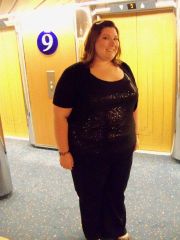
justPenguin, a weight loss surgery photo album by justPenguin on BariatricPal. 2 photos in Member Photo Gallery.
-
Hi all, just a question for whomever is kind enough to reply. I lost 77 lbs so far, 6.5 months since surgery. While I am certainly thrilled at the numbers on the scale, I still have quite a way to go. Most of the time I feel great, LOVE the weight loss. But other times - I still 'feel' just as 'fat' as I did before the surgery. Any one else experience this, and if you've hit goal, do you still feel 'fat' every now and then?
-
I started not too far from where you did (365#). The hardest part for me was the emotional connection with food. It made me feel good to eat cookies & milk, chicken fingers, donuts, ice cream. It made me feel like I was doing the right thing, but still missing my emotional satisfaction when I ate right. I still eat cookies and milk. Straight up real oreos, not even reduced fat. But I build what I need to fill that emotional-food need into my diet. I am 6 months out from surgery, and lost 70# so far. This may or may not work for you, but try it if you like. If I'm feeling in the mood to dip some donuts into milk, or make some oreos soggy in a cup of milk, ice cream and the like, I will fit it into my calories for the day. I always binged at night, in bed, watching tv. Now, I don't eat alot of them because I can't, but I will do my shakes all day to keep my calories low, and save them for my splurge. I will do that once, maybe twice a week, and because I choose to do that and not completely cut out EVERYTHING. I will also make sure I do the little things that add up to make up for it. I park further away to walk, I take the stairs even though when I get to the top I'm still huffing and puffing, I dance the entire time I'm in the shower, anything to keep myself moving and burning calories. Protein shakes are the key for me. I can't seem to keep this new diet 24/7, it's quite the adjustment, and I'm working on it. But it's baby steps, one day at a time. Today, I will eat right all day. Tomorrow, just might be the day I splurge. But I will make up for it in exercise and calories. Plateaus suck, but we are responsible for what is happening to ourselves. The band is a shoulder to lean on. I learned that the hard way. I was stuck for 2 months at the same weight because I stopped the protein. I couldn't stomach the taste of it anymore. But the only things that guarantee weight loss = calories in, exercise, protein & water intake. I know how rough it is to adjust completely to this new lifestyle, hell, I still haven't completely yet. Take some time and get your head together to tackle this, and go full steam ahead, and don't look back!! Lots of luck to you!
-
Hello all, from Toms River, had Dr. Riech (Spelling?) at SOCH in Manahawkin do my surgery. Almost 6 months out, just over 50 lbs lost. (Of course always wish it were more Anyone in my area, feel free to contact me, or even meet up if you'd like to chat about it.
-
-
Hi all, I've got a bad cold, bronchitis or something. Always this time of year. I can't stop coughing, and also having many coughing spasms. My abdomen hurts, from coughing, but my band and my port hurt too. I'm going to doc today late in the afternoon. I'm scared I might do someting to my band or port. I also am looking for remedies that do not include OTC cough meds, get reactions from them. Thoughts? Thanks!
-
I was able to get in at the doc's yesterday. They thought I may have given myself a hernia. (Yikes!) But when they checked it out, they said I probably pulled apart scar tissue inside my incision. The pain was horrible that first night, but I woke up the next day with very little pain. Thanks all for your reassurance, I really needed it. :blushing:
-
I was squatting down to get something out of my closet, and as soon as I got up, I got this excruciating pain around the left side of belly button. I'm 2.5 weeks post op. Was feeling great until now. Just took a left over pain pill to help, feels like I just got out of surgery all over again near port. Help! What did I do??
-
Funny you say that LOL I bought mine last year, black friday. Only to bring it home, get on it, and have it say "OOF!" when I got on, and tell me I was too fat to use it. I thought it was a 300 limit, now that I'm lower than 325, I'll drag it out again. :rolleyes2:
-
I'm 26, got banded two weeks ago today. While I wished I could have lost weight sooner, as far as having any kind of WLS, I needed to be in the right place mentally for it. Had I had it any sooner, I don't think I would have been nearly as prepared for the mental challenges it brings. With that being said, two years ago I had severe gastritis (stomach itself was inflamed and swollen) for no reason. I was on a very bland, low-everything diet, because that's all I could handle. Same meals every single day without a break. I went through the food funeral, learning to socialize again without eating, crying because I couldn't have the same meals with family, go out to eat with friends, etc. As I got better towards the end, I had to test foods to see how they were tolerated (just like the band) only this time, I will only test food good for me, not test junk that I had missed dearly like an old friend LOL That was a hard lesson learned. I lost 60 LB being sick, and gained it ALL back in less time than it took to lose. So I was much more prepared for this, I think, having gone through that. Had I done it earlier, I think the road would have been so much more bumpier.
-
Yes, I've had the burning pain, to me feels like something is tearing. Talked to doc, he said it's the stitches to secure the band. All you need to do is bend or twist a certain way. He said it's fine, common and will go away. Best of luck!
-
I can't stomach another sip of protein shakes. Once a day, fine. But 4? Ugh. I bought a bunch of sugar free flavoring syrups from davinci gourmet. Got pumpkin pie, pankcake, irish cream, egg nog, and vanilla. Soooo yummy. Got the vanilla to use in teas, not in shakes though. The pancake especially is fab in the AM, it's like a liquid buttery waffle. YUM!
-
I don't know if I'll keep feeling the restriction... but I still do, but only a week and a half. All I've been wanting is a good sub, so maybe before the fill I might be able to have a bite or two... What makes it hell? Is it common to gain? Eat too much? Problems?