Skip to content
View in the app

A better way to browse. Learn more.

BariatricPal

A full-screen app on your home screen with push notifications, badges and more.

To install this app on iOS and iPadOS
  1. Tap the Share icon in Safari
  2. Scroll the menu and tap Add to Home Screen.
  3. Tap Add in the top-right corner.
To install this app on Android
  1. Tap the 3-dot menu (⋮) in the top-right corner of the browser.
  2. Tap Add to Home screen or Install app.
  3. Confirm by tapping Install.

NC Group Pic

  • Replies 8
  • Views 1.1k
  • Created
  • Last Reply

Top Posters In This Topic

Posted Images

Featured Replies

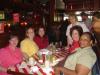
Awww, aren't we cute! Here are the introductions for everyone. Left to Right around the TGIFridays Banquet Table...

Kathy (the best me), Kim (gordonfamily3), Melissa (dragonwilo), Dianne (Sunsett), Karen (Karen McGregor), and Starr (Starr W).

I hear tell Starr is also known as Loretta, is this true?! Anyhow. That's us! Thanks for posting Kim! We are thinking of you Dianne! Happy Band Day!

Angie, Saturday November 5th at Ruby Tuesdays. 11:30.

We have the impromptu Paula gathering coming up soon...see the other thread for details about that one but it's looking hopeful. :)

Thank you Mary!

Hey Ladies - just spotted this picture. Glad to know I'm banded now. Can't wait for the next meeting. Karen hope all is going well with you. And yes my birth name is Loretta... but my online friends call me Starr. Take care

Join the conversation

You can post now and register later. If you have an account, sign in now to post with your account.

Guest
Reply to this topic...

Trending Products

PatchAid Vitamin Patches

Account

Navigation

Search

Search

Configure browser push notifications

Chrome (Android)
  1. Tap the lock icon next to the address bar.
  2. Tap Permissions → Notifications.
  3. Adjust your preference.
Chrome (Desktop)
  1. Click the padlock icon in the address bar.
  2. Select Site settings.
  3. Find Notifications and adjust your preference.