Skip to content
View in the app

A better way to browse. Learn more.

BariatricPal

A full-screen app on your home screen with push notifications, badges and more.

To install this app on iOS and iPadOS
  1. Tap the Share icon in Safari
  2. Scroll the menu and tap Add to Home Screen.
  3. Tap Add in the top-right corner.
To install this app on Android
  1. Tap the 3-dot menu (⋮) in the top-right corner of the browser.
  2. Tap Add to Home screen or Install app.
  3. Confirm by tapping Install.

Art

  • Replies 31
  • Views 3.2k
  • Created
  • Last Reply

Top Posters In This Topic

Posted Images

Featured Replies

Really beautiful Ready! Great idea for a forum section, just wish I had something to add to it. I'm sure that many of us have been getting in to things that we have long pushed aside.

I'm not very creative, and I can't view the pics at work. I'll go home, though and look. :biggrin:

If I can drag out some old poetry, I may get brave enough to post some of it. It's been a long while since I felt compelled to write.

  • Author
I'm not very creative, and I can't view the pics at work. I'll go home, though and look. :rolleyes2:

If I can drag out some old poetry, I may get brave enough to post some of it. It's been a long while since I felt compelled to write.

Please do.

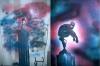
Right now I am studying Illustrations and working with Adobe Illustrator but this is a quick and fun one I did for last semester.

post-33539-13813667279816_thumb.jpg

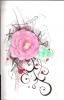
I also created the victorious valentines logo on my signature.;)

post-242162-13813137567403_thumb.jpg

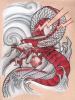
Here's my first attempt at painting. It was a paint-by-number, so really it was like coloring in a coloring book, albeit a little more complex. I like it enough to hang it on my wall.

post-227665-13813137573538_thumb.jpg

Thanks!

One of my talents is cake decorating, so don't look if you can't handle it. Mostly they don't look delicious, just cute, so I hope people don't mind. Here are a few samples of my work.

post-227665-13813137580386_thumb.jpg

post-227665-13813137606074_thumb.jpg

post-227665-1381313760644_thumb.jpg

post-227665-13813137606754_thumb.jpg

Join the conversation

You can post now and register later. If you have an account, sign in now to post with your account.

Guest
Reply to this topic...

Trending Products

PatchAid Vitamin Patches

Account

Navigation

Search

Search

Configure browser push notifications

Chrome (Android)
  1. Tap the lock icon next to the address bar.
  2. Tap Permissions → Notifications.
  3. Adjust your preference.
Chrome (Desktop)
  1. Click the padlock icon in the address bar.
  2. Select Site settings.
  3. Find Notifications and adjust your preference.