Skip to content
View in the app

A better way to browse. Learn more.

BariatricPal

A full-screen app on your home screen with push notifications, badges and more.

To install this app on iOS and iPadOS
  1. Tap the Share icon in Safari
  2. Scroll the menu and tap Add to Home Screen.
  3. Tap Add in the top-right corner.
To install this app on Android
  1. Tap the 3-dot menu (⋮) in the top-right corner of the browser.
  2. Tap Add to Home screen or Install app.
  3. Confirm by tapping Install.

It Snowed!!!!

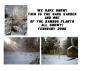
Ok, I know that you guys get TONNES of snow over there, but we were thrilled to see a gorgeous white blanket of snow this morning here in Ireland! Well I was anyway! It was only two or three inches but we hardly ever get snow that stays on the ground - it looked so beautiful! I walked my son to school and it was such fun - even tho I ended up with my new suede boots all wet and actually fell on the way home (!!) - despite soggy boots, sore knees, wet jeans, I love it!!!!

Sadly it's melting already but I took some pics.....

(sorry to bore you Alex, I know you're sick of snow already! :) )

post-203815-1381313167844_thumb.jpg

  • Replies 32
  • Views 2.6k
  • Created
  • Last Reply

Top Posters In This Topic

Posted Images

Featured Replies

  • Author

well it's back to being green and wet here! Snow all gone but still pretty cold - I miss it now that I've forgotten all the minor trauma it caused!!

Join the conversation

You can post now and register later. If you have an account, sign in now to post with your account.

Guest
Reply to this topic...

Trending Products

PatchAid Vitamin Patches

Account

Navigation

Search

Search

Configure browser push notifications

Chrome (Android)
  1. Tap the lock icon next to the address bar.
  2. Tap Permissions → Notifications.
  3. Adjust your preference.
Chrome (Desktop)
  1. Click the padlock icon in the address bar.
  2. Select Site settings.
  3. Find Notifications and adjust your preference.