Skip to content
View in the app

A better way to browse. Learn more.

BariatricPal

A full-screen app on your home screen with push notifications, badges and more.

To install this app on iOS and iPadOS
  1. Tap the Share icon in Safari
  2. Scroll the menu and tap Add to Home Screen.
  3. Tap Add in the top-right corner.
To install this app on Android
  1. Tap the 3-dot menu (⋮) in the top-right corner of the browser.
  2. Tap Add to Home screen or Install app.
  3. Confirm by tapping Install.

REALLY weird recurring problem

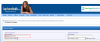
Twice this morning I posted replies, only to end up having posted in the completely wrong part of the forum. What the heck? So I assumed I had been doing something wrong, until it happened a third time. The images below are screenies I grabbed while recreating this.

The first picture shows the search results from the username search I did, trying to locate the post after deleting my response. The first thread in the results is the one I had meant to post to.

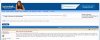
The second picture shows the post tool-tip, showing the RIGHT preview for the RIGHT thread - all looks well at this point.

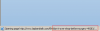
The third picture shows the page it indicates it's loading, which is the RIGHT post. All still looks well.

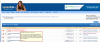
The fourth picture is what actually loads - not only a totally different post, but a post in a totally different forum.

The fifth picture shows what appears when I would then go to search to try and find the RIGHT post.

Figured I'd post this here rather than board questions to save the ensuing panic. :smile:

post-205294-13813136278691_thumb.png

post-205294-13813136279182_thumb.png

post-205294-13813136279642_thumb.png

post-205294-13813136279789_thumb.png

post-205294-13813136280341_thumb.png

  • Replies 1
  • Views 746
  • Created
  • Last Reply

Top Posters In This Topic

Posted Images

Featured Replies

It does seem like a weird problem and I have no real answer, but whenever forums like this go weird on me, I clear my cache and delete all cookies and start again. That almost always gets rid of whatever problem was occurring. If that doesn't work, try contacting the site help people.

Join the conversation

You can post now and register later. If you have an account, sign in now to post with your account.

Guest
Reply to this topic...

Trending Products

PatchAid Vitamin Patches

Account

Navigation

Search

Search

Configure browser push notifications

Chrome (Android)
  1. Tap the lock icon next to the address bar.
  2. Tap Permissions → Notifications.
  3. Adjust your preference.
Chrome (Desktop)
  1. Click the padlock icon in the address bar.
  2. Select Site settings.
  3. Find Notifications and adjust your preference.