Skip to content
View in the app

A better way to browse. Learn more.

BariatricPal

A full-screen app on your home screen with push notifications, badges and more.

To install this app on iOS and iPadOS
  1. Tap the Share icon in Safari
  2. Scroll the menu and tap Add to Home Screen.
  3. Tap Add in the top-right corner.
To install this app on Android
  1. Tap the 3-dot menu (⋮) in the top-right corner of the browser.
  2. Tap Add to Home screen or Install app.
  3. Confirm by tapping Install.

Finally got my date!!!

  • Popular Post

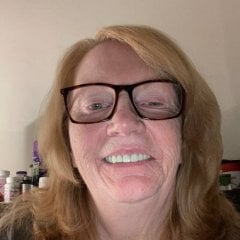
Been waiting since July 2021. My date for the sleeve is December 14th 2022. I am so thrilled! And ready. I've lost 40 lbs in that time. It seems sizable to some but not near enough for my health. That's why the sleeve. And I have so much support, and so much encouragement. It makes me feel very special. Anybody else out there in december???

Sent from my SM-S901U using BariatricPal mobile app

  • Replies 2
  • Views 821
  • Created
  • Last Reply

Top Posters In This Topic

Most Popular Posts

  • So happy for you ! I started my journey December 2021 . I just had my surgery Oct 19 ,2022 . It’s so worth it !!!!

  • Thank you! I know it will be!!! Sent from my SM-S901U using BariatricPal mobile app

Featured Replies

So happy for you ! I started my journey December 2021 . I just had my surgery Oct 19 ,2022 . It’s so worth it !!!!

Join the conversation

You can post now and register later. If you have an account, sign in now to post with your account.

Guest
Reply to this topic...

Trending Products

PatchAid Vitamin Patches

Account

Navigation

Search

Search

Configure browser push notifications

Chrome (Android)
  1. Tap the lock icon next to the address bar.
  2. Tap Permissions → Notifications.
  3. Adjust your preference.
Chrome (Desktop)
  1. Click the padlock icon in the address bar.
  2. Select Site settings.
  3. Find Notifications and adjust your preference.