Skip to content
View in the app

A better way to browse. Learn more.

BariatricPal

A full-screen app on your home screen with push notifications, badges and more.

To install this app on iOS and iPadOS
  1. Tap the Share icon in Safari
  2. Scroll the menu and tap Add to Home Screen.
  3. Tap Add in the top-right corner.
To install this app on Android
  1. Tap the 3-dot menu (⋮) in the top-right corner of the browser.
  2. Tap Add to Home screen or Install app.
  3. Confirm by tapping Install.

OOTD

  • Popular Post
Outfit Of The Day

Feed your inner narcissist! Post a pic of when your outfit makes you feel cute, sexy, sassy, sporty and so on!
  • Replies 6.7k
  • Views 631.7k
  • Created
  • Last Reply

Top Posters In This Topic

Most Popular Posts

Posted Images

Featured Replies

  • Popular Post

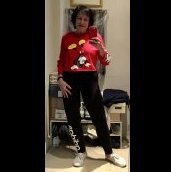
Ugh, I don’t have a lot of before photos. Here is one I stumbled on, but I’m sitting.

93EF181D-CADA-4873-BEE0-B3FD97A04EDF.jpeg

8 hours ago, FluffyChix said:

don't want to copy/paste them

Just in case you don’t know, you can highlight just the phrase or text you want to copy. Just click and drag, a little pop up comes up that says “quote this” .

It is what I just did with your post. Saves on scrolling through the same pictures and bandwidth.

  • Popular Post

Here's mine. I was 137lbs...I'm 135lbs now, so not much diff, I don't think?

2017-2018BA_137lbs.jpg.54411bbd8107abc00a71bd9f75ca59cd.jpg

This week:

IMG_4595.thumb.JPG.233f1312bc13d425ffc8ff9f063268ff.JPG


Ok, a "Before" OOTD:
[/url]
Are you kidding me????? Wow!!!![emoji54][emoji54][emoji54][emoji54][emoji54][emoji54][emoji119][emoji119][emoji119][emoji119][emoji119][emoji119]

Sent from my SM-N960U using BariatricPal mobile app

Well if someone came after the one on the left, I'd be the one brandishing a stick! (That's the Kid)
[emoji23][emoji23][emoji23] I had no idea!! You look like friends!..compliment to you![emoji106][emoji106]

Sent from my SM-N960U using BariatricPal mobile app

Here's mine. I was 137lbs...I'm 135lbs now, so not much diff, I don't think?
2017-2018BA_137lbs.jpg.54411bbd8107abc00a71bd9f75ca59cd.jpg
This week:
IMG_4595.thumb.JPG.233f1312bc13d425ffc8ff9f063268ff.JPG
Wow guys!!! What a transformation!!!!!! Well done!! I'm just beyond psyched for the work ahead!!!!

Sent from my SM-N960U using BariatricPal mobile app

Just in case you don’t know, you can highlight just the phrase or text you want to copy. Just click and drag, a little pop up comes up that says “quote this” .
It is what I just did with your post. Saves on scrolling through the same pictures and bandwidth.
Doesn't work on the phone app

On 08/21/2019 at 19:24, rs said:


Doesn't work on the phone app

Nope. Doesn’t work on phone or iPad and that’s all I’ve got

13 minutes ago, Sheribear68 said:

iPad and that’s all I’ve got

I just did this on my iPad.

D1936A43-7941-42C2-B8B2-DC67FAC99D5A.png

Edited by Cheeseburgh

  • Popular Post

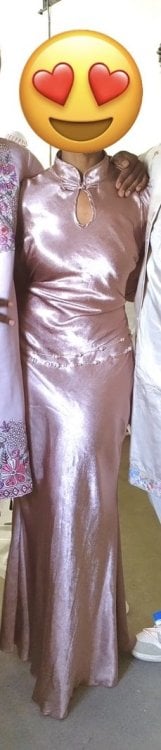
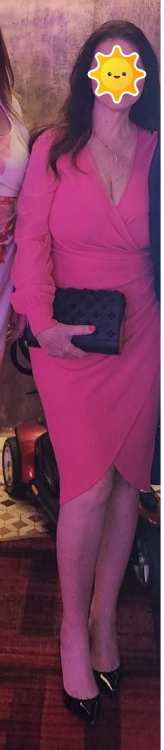
second dress ive worn in.... my life. sorry for the darkness. also, the infamous MOUSE CAT also checking himself out. 20190822_071449.jpeg20190822_071342.jpeg20190822_071318.jpeg

Sent from my SM-G930R4 using BariatricPal mobile app

I know heels would look better but my knee is janky from spin class today.

Sent from my SM-G930R4 using BariatricPal mobile app

second dress ive worn in.... my life. sorry for the darkness. also, the infamous MOUSE CAT also checking himself out. 20190822_071449.thumb.jpeg.17850316fa3ff773cb0cf714efe04b86.jpeg20190822_071342.thumb.jpeg.b0142e9b2a51b78913d4c7dc1e94f59d.jpeg20190822_071318.thumb.jpeg.6e75ab261e7df788ff4a3e21fe517c2b.jpeg

Sent from my SM-G930R4 using BariatricPal mobile app


I made it brighter. oops sorry guys. lol. 20190822_072714.jpeg20190822_072650.jpeg

Sent from my SM-G930R4 using BariatricPal mobile app

1 hour ago, mousecat88 said:

second dress ive worn in.... my life. sorry for the darkness. also, the infamous MOUSE CAT also checking himself out. 20190822_071449.jpeg 20190822_071342.jpeg 20190822_071318.jpeg

Sent from my SM-G930R4 using BariatricPal mobile app

Love the color and the flirty hemline!

Join the conversation

You can post now and register later. If you have an account, sign in now to post with your account.

Guest
Reply to this topic...

Trending Products

PatchAid Vitamin Patches

Account

Navigation

Search

Search

Configure browser push notifications

Chrome (Android)
  1. Tap the lock icon next to the address bar.
  2. Tap Permissions → Notifications.
  3. Adjust your preference.
Chrome (Desktop)
  1. Click the padlock icon in the address bar.
  2. Select Site settings.
  3. Find Notifications and adjust your preference.