Skip to content
View in the app

A better way to browse. Learn more.

BariatricPal

A full-screen app on your home screen with push notifications, badges and more.

To install this app on iOS and iPadOS
  1. Tap the Share icon in Safari
  2. Scroll the menu and tap Add to Home Screen.
  3. Tap Add in the top-right corner.
To install this app on Android
  1. Tap the 3-dot menu (⋮) in the top-right corner of the browser.
  2. Tap Add to Home screen or Install app.
  3. Confirm by tapping Install.

My journey

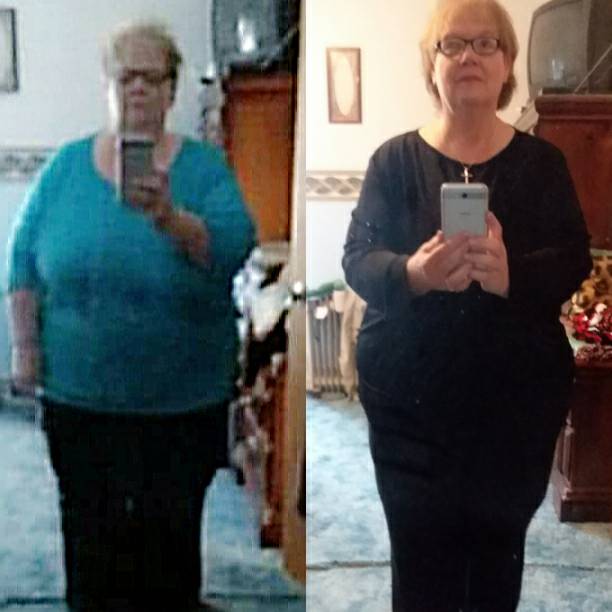
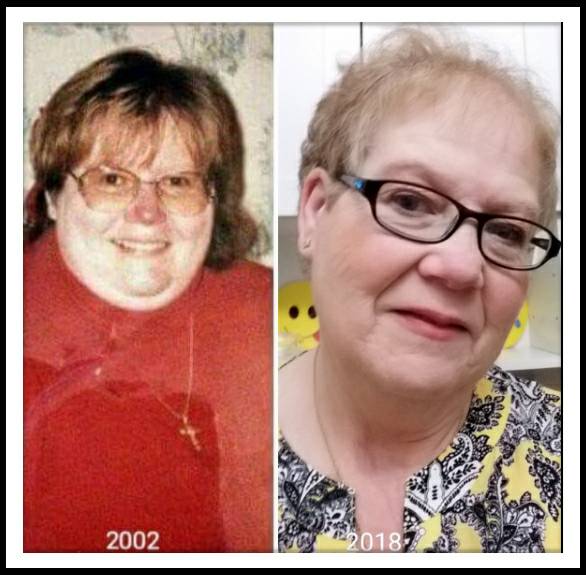
My journey started 2002 with gastric bypass Roux n y with band. I went from 438 to 308 and then started gaining again 2 years later. For years I fought to lose with no results. I had developed a fistula in my pouch. Long story short, I had revision June 7, 2017 to repair the fistula and had to have half of remnant stomach removed. I have now lost from 385 to 298 and feeling great .IMG_20180716_4.jpegIMG_20180420_9.jpeg

Sent from my SM-J727V using BariatricPal mobile app

  • Replies 2
  • Views 1.3k
  • Created
  • Last Reply

Featured Replies

You look GREAT...continue the hard work!

I'm getting ready to start my journey

Edited by AHagan

Archived

This topic is now archived and is closed to further replies.

Trending Products

PatchAid Vitamin Patches

Account

Navigation

Search

Search

Configure browser push notifications

Chrome (Android)
  1. Tap the lock icon next to the address bar.
  2. Tap Permissions → Notifications.
  3. Adjust your preference.
Chrome (Desktop)
  1. Click the padlock icon in the address bar.
  2. Select Site settings.
  3. Find Notifications and adjust your preference.