



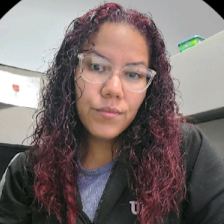
1 day post op
Featured Replies
Join the conversation
You can post as a guest; create a free account to track replies, follow topics, and be part of the largest weight loss surgery community.

A better way to browse. Learn more.
A full-screen app on your home screen with push notifications, badges and more.
Join BariatricPal free
You can post as a guest; create a free account to track replies, follow topics, and be part of the largest weight loss surgery community.
Find support for your bariatric or GLP-1 journey. Save helpful conversations and take part when you are ready.
Choose your email preferences on the registration form.
Already a member? Sign in
This time yesterday I was arriving at the hospital. I was so nervous i threw up, multiple times, once in the or room. But my team was amazing and kept me calm. They have my pain very well managed. Some nauseous here and there. Mostly with the pain medication. Walked quite a lot yesterday which really does help with the gas pain. Going to do a barium swallow test this morning and hoping to switch over to drinking fluids! So grateful for this whole process. I really feel this is going to be great for me! Best of luck to everyone who going to be getting their surgery soon and to those who had surgery, I hope you all are doing well.
Sent from my SM-G955U using BariatricPal App