Skip to content
View in the app

A better way to browse. Learn more.

BariatricPal

A full-screen app on your home screen with push notifications, badges and more.

To install this app on iOS and iPadOS
  1. Tap the Share icon in Safari
  2. Scroll the menu and tap Add to Home Screen.
  3. Tap Add in the top-right corner.
To install this app on Android
  1. Tap the 3-dot menu (⋮) in the top-right corner of the browser.
  2. Tap Add to Home screen or Install app.
  3. Confirm by tapping Install.

Red Copper Chef

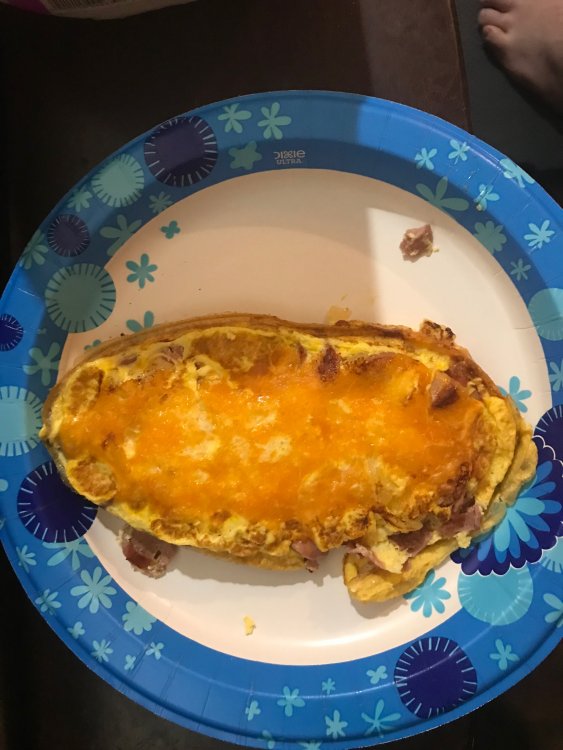
I'm skeptical about the "As Seen on TV" products but I decided to try this. It really is a simple to cook with and clean as the commercial. I made a fabulous omelet for my first try, and in about 4 mins I had a great meal. It cooks quick so watch it and don't overload it, as it will build up some pressure if you're not careful. It's almost too much at a time for a sleever, but it sure is easy to use.

IMG_6233.JPG

  • Replies 1
  • Views 842
  • Created
  • Last Reply

Featured Replies

We also bought some skillets and we LOVE them!! They work well on my induction stove and clean up is a breeze too. You really don't need much oil either. Love them right along with my INSTANT POT.

Archived

This topic is now archived and is closed to further replies.

Trending Products

PatchAid Vitamin Patches

Account

Navigation

Search

Search

Configure browser push notifications

Chrome (Android)
  1. Tap the lock icon next to the address bar.
  2. Tap Permissions → Notifications.
  3. Adjust your preference.
Chrome (Desktop)
  1. Click the padlock icon in the address bar.
  2. Select Site settings.
  3. Find Notifications and adjust your preference.