Skip to content
View in the app

A better way to browse. Learn more.

BariatricPal

A full-screen app on your home screen with push notifications, badges and more.

To install this app on iOS and iPadOS
  1. Tap the Share icon in Safari
  2. Scroll the menu and tap Add to Home Screen.
  3. Tap Add in the top-right corner.
To install this app on Android
  1. Tap the 3-dot menu (⋮) in the top-right corner of the browser.
  2. Tap Add to Home screen or Install app.
  3. Confirm by tapping Install.

Milestone!

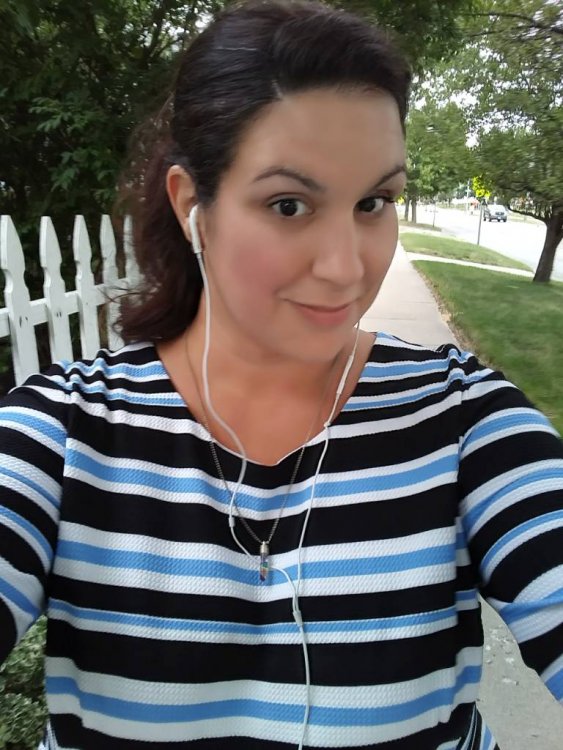
I hit 249 on scale today! First time in as many years as I can remember (probably 7 years or more) that I've been below 250! Success is possible! Those who struggle - keep at it and celebrate the little victories!20170724_123618_HDR.jpg
Sent from my LG-TP450 using BariatricPal mobile app

  • Replies 6
  • Views 958
  • Created
  • Last Reply

Featured Replies

Woohoo!! Congrats!


Sent from my iPhone using Tapatalk

  • Author

Thanks Lillian! Its a small but oh so mighty victory!

Sent from my LG-TP450 using BariatricPal mobile app

Congratulations!! I know how good that feels!

  • Author

Thanks Pixie! Its an awesome feeling. Just 4 lbs to go til I hit my next milestone!

Sent from my LG-TP450 using BariatricPal mobile app

On 7/25/2017 at 3:44 PM, Dashofpixiedust8 said:

Starting Weight (10/29/15): 540

Surgery Weight (5/29/16): 480

Current Weight (6/23/17): 248.6

@Dashofpixiedust8

your #s are staggering!!

540 to 248.6!!

holy moly

keep UP the good work

while your weight continues to go DOWN!!

kathy

congrats

On 7/24/2017 at 0:40 PM, Iconcinnity said:

Celebrate the little victories

@Iconcinnity

hey bud

no such thing as little victories

you are showing 2 NSV's

first - you wisely chose the sleeve

2nd - you are seeing a great new #

continue good luck

kathy

congrats

Archived

This topic is now archived and is closed to further replies.

Trending Products

PatchAid Vitamin Patches

Account

Navigation

Search

Search

Configure browser push notifications

Chrome (Android)
  1. Tap the lock icon next to the address bar.
  2. Tap Permissions → Notifications.
  3. Adjust your preference.
Chrome (Desktop)
  1. Click the padlock icon in the address bar.
  2. Select Site settings.
  3. Find Notifications and adjust your preference.