Skip to content
View in the app

A better way to browse. Learn more.

BariatricPal

A full-screen app on your home screen with push notifications, badges and more.

To install this app on iOS and iPadOS
  1. Tap the Share icon in Safari
  2. Scroll the menu and tap Add to Home Screen.
  3. Tap Add in the top-right corner.
To install this app on Android
  1. Tap the 3-dot menu (⋮) in the top-right corner of the browser.
  2. Tap Add to Home screen or Install app.
  3. Confirm by tapping Install.
  • Appearance

Join BariatricPal free

  • Ask your own questions
  • Reply and follow topics
  • Message other members
  • No cost, no spam

What's the secret to posting images?

I tried the search function for advice on posting images, and all I got was one post that is 10 years old, or will be in two months. Reading through it, it seems things have changed somewhat.

Every time I try to use the image button, I get a box with a question mark in it, or a notice that tells me I'm not allowed to do that.

I can attach images, but that doesn't always work the way I would like it to work. I get a result, but not the one I am after.

So is there anyone out there with an idea as to how this actually is supposed to work? It appears to be different than any other forum I have ever been on, and I've been on lots.

  • Replies 6
  • Views 2.5k
  • Created
  • Last Reply

Top Posters In This Topic

Most Popular Posts

  • So, I posted these backwards. Sorry. When I go to type a reply, I hit the little circle with the upside down v. Then, I don't choose IMG, I click the paperclip. It takes me to the images on my phone,

  • highfunctioningfatman
    highfunctioningfatman

    I use photo bucket to host my images. I hate their pc version because of the ads but I like the mobile version. You bring up the pictures, click on the one you want and then click the share link at th

  • I rarely use my phone for this stuff, but thank you for taking the time to reply. My fingers are huge, and I am not thrilled with the app. I can attach images easily enough, but I was looking for so

Posted Images

Featured Replies

post-39479-14825927991051_thumb.jpg

Sent from my SAMSUNG-SM-G890A using the BariatricPal App

post-39479-14825928472006_thumb.jpg

Sent from my SAMSUNG-SM-G890A using the BariatricPal App

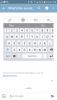
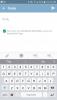
So, I posted these backwards. Sorry. When I go to type a reply, I hit the little circle with the upside down v. Then, I don't choose IMG, I click the paperclip. It takes me to the images on my phone, and I choose the one I want to add. I hope this helps.

Sent from my SAMSUNG-SM-G890A using the BariatricPal App

I use photo bucket to host my images. I hate their pc version because of the ads but I like the mobile version. You bring up the pictures, click on the one you want and then click the share link at the bottom. From there click copy link to clipboard and it gives 4 options, the bottom one is "img" which is what works on forums. Paste the link into the text of your message and you are good to go!

  • Author

So, I posted these backwards. Sorry. When I go to type a reply, I hit the little circle with the upside down v. Then, I don't choose IMG, I click the paperclip. It takes me to the images on my phone, and I choose the one I want to add. I hope this helps.

Sent from my SAMSUNG-SM-G890A using the BariatricPal App

I rarely use my phone for this stuff, but thank you for taking the time to reply. My fingers are huge, and I am not thrilled with the app. I can attach images easily enough, but I was looking for something in line.

I use photo bucket to host my images. I hate their pc version because of the ads but I like the mobile version. You bring up the pictures, click on the one you want and then click the share link at the bottom. From there click copy link to clipboard and it gives 4 options, the bottom one is "img" which is what works on forums. Paste the link into the text of your message and you are good to go!

I had two Photo Bucket accounts for 10 years. I got so disgusted with the way my desktop would continually freeze up while just trying to navigate around that I deleted them a few weeks ago. I have a friend in real life who has had one even longer, and hates it even more than I do, but he keeps his because he's got stuff all over the web and doesn't want to break links.

I thought I would try Drop Box. It did not work the way I wanted, and it looks like it is now a permanent resident in my RAM. I have tried everything including their own instructions for getting rid of it to no avail. I am ready to clean all my stuff off this machine and scorch the hard drive - figuratively speaking of course.

So, I posted these backwards. Sorry. When I go to type a reply, I hit the little circle with the upside down v. Then, I don't choose IMG, I click the paperclip. It takes me to the images on my phone, and I choose the one I want to add. I hope this helps.

Sent from my SAMSUNG-SM-G890A using the BariatricPal App

post-305811-14827721455253_thumb.jpg

HEIGHT 5'9.5" HW 305; Started with first surgery, dietician visit 10/21/16

So, I posted these backwards. Sorry. When I go to type a reply, I hit the little circle with the upside down v. Then, I don't choose IMG, I click the paperclip. It takes me to the images on my phone, and I choose the one I want to add. I hope this helps.

Sent from my SAMSUNG-SM-G890A using the BariatricPal App

attachicon.gif IMG-20161221-WA0001.jpg

HEIGHT 5'9.5" HW 305; Started with first surgery, dietician visit 10/21/16

Sorry, just truly it out. Thanks for the advice!

HEIGHT 5'9.5" HW 305; Started with first surgery, dietician visit 10/21/16

  • 2 weeks later...

If we told you then it wouldn't be a secret. LOL

Join the conversation

You can post as a guest; create a free account to track replies, follow topics, and be part of the largest weight loss surgery community.

Join the conversation

You can post now and register later. If you have an account, sign in now to post with your account.

Guest
Reply to this topic...

Account

Navigation

Search

Search

Configure browser push notifications

Chrome (Android)
  1. Tap the lock icon next to the address bar.
  2. Tap Permissions → Notifications.
  3. Adjust your preference.
Chrome (Desktop)
  1. Click the padlock icon in the address bar.
  2. Select Site settings.
  3. Find Notifications and adjust your preference.