Skip to content
View in the app

A better way to browse. Learn more.

BariatricPal

A full-screen app on your home screen with push notifications, badges and more.

To install this app on iOS and iPadOS
  1. Tap the Share icon in Safari
  2. Scroll the menu and tap Add to Home Screen.
  3. Tap Add in the top-right corner.
To install this app on Android
  1. Tap the 3-dot menu (⋮) in the top-right corner of the browser.
  2. Tap Add to Home screen or Install app.
  3. Confirm by tapping Install.

Naughty language filter

This made me chuckle. However, since others might be offended...

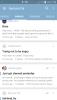
It appears the filter for "bad" language only works inside the thread, and not in the little thread snap shots. See attached. Thought you might want to know!

Sent from my SM-N910P using the BariatricPal App

post-252426-14563501472604_thumb.jpg

  • Replies 5
  • Views 1k
  • Created
  • Last Reply

Featured Replies

  • Popular Post

Have you considered the possibility that it just won't fcck with @ VSGAnn2014 ?

  • Author

Have you considered the possibility that it just won't fcck with @ VSGAnn2014 ?

Too funny.

Sent from my SM-N910P using the BariatricPal App

Sometimes it works, sometimes not. When you really want to say what you mean without interference from idiotic asterisks, a slight misspelling will work. It's not entirely satisfying, but also doesn't completely Water down the meaning.

@@Alex Brecher, why in hell are you wasting time "liking" posts in this thread? To the drawing board with you.

Archived

This topic is now archived and is closed to further replies.

Trending Products

PatchAid Vitamin Patches

Account

Navigation

Search

Search

Configure browser push notifications

Chrome (Android)
  1. Tap the lock icon next to the address bar.
  2. Tap Permissions → Notifications.
  3. Adjust your preference.
Chrome (Desktop)
  1. Click the padlock icon in the address bar.
  2. Select Site settings.
  3. Find Notifications and adjust your preference.