Skip to content
View in the app

A better way to browse. Learn more.

BariatricPal

A full-screen app on your home screen with push notifications, badges and more.

To install this app on iOS and iPadOS
  1. Tap the Share icon in Safari
  2. Scroll the menu and tap Add to Home Screen.
  3. Tap Add in the top-right corner.
To install this app on Android
  1. Tap the 3-dot menu (⋮) in the top-right corner of the browser.
  2. Tap Add to Home screen or Install app.
  3. Confirm by tapping Install.

Any DFW Support Groups?

I live where Dallas, Cedar Hill, and Duncanville meet but am willing to drive a while if I need to. Do you guys know of any meetings in DFW area? Thanks in advance.

  • Replies 7
  • Views 748
  • Created
  • Last Reply

Featured Replies

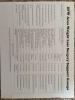
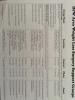
I actually have a list. I will take a pic tomorrow and send it your way.

  • Author

That would be so awesome! Thanks!

I haven't forgotten about you :).

  • Author

Okay thank you.

post-258663-14512444460916_thumb.jpg

post-258663-14512444621351_thumb.jpg

Here ya go...... DFW support groups

  • Author

Thanks so much!

You are welcome. I hope you were not near the tornadoes. Good luck to you.

Archived

This topic is now archived and is closed to further replies.

Trending Products

PatchAid Vitamin Patches

Account

Navigation

Search

Search

Configure browser push notifications

Chrome (Android)
  1. Tap the lock icon next to the address bar.
  2. Tap Permissions → Notifications.
  3. Adjust your preference.
Chrome (Desktop)
  1. Click the padlock icon in the address bar.
  2. Select Site settings.
  3. Find Notifications and adjust your preference.