Skip to content
View in the app

A better way to browse. Learn more.

BariatricPal

A full-screen app on your home screen with push notifications, badges and more.

To install this app on iOS and iPadOS
  1. Tap the Share icon in Safari
  2. Scroll the menu and tap Add to Home Screen.
  3. Tap Add in the top-right corner.
To install this app on Android
  1. Tap the 3-dot menu (⋮) in the top-right corner of the browser.
  2. Tap Add to Home screen or Install app.
  3. Confirm by tapping Install.

feeling great!

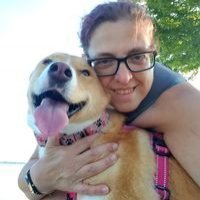
Today I stepped on the scale and it said 299. Im 9 weeks post op. Down 51 lbs since surgery and 61 lbs total. This journey is a beutiful one for me and my family. I have set a goal of 210lbs for myself. Everyone says that my first goal will change. Its crazy how all I do is walk/jog 3 miles a day and fight to eat 1200 calories and the weight just falls off. Starting where old clothes again, but soon I will have spend some cash everything I own is getting to big. Well back to work I go just thought I'd share my morning.

  • Replies 4
  • Views 1.2k
  • Created
  • Last Reply

Featured Replies

Congrats!

Congrats, way to go.

lol@fight to eat 1200 calories!!!! :D

I laughed at that one too...I used to fight to keep my calories down there. I'm a long way from getting back up to 1200 :) (not complaining, just marveling at the difference a few weeks and a surgery makes in perspective)

Archived

This topic is now archived and is closed to further replies.

Trending Products

PatchAid Vitamin Patches

Account

Navigation

Search

Search

Configure browser push notifications

Chrome (Android)
  1. Tap the lock icon next to the address bar.
  2. Tap Permissions → Notifications.
  3. Adjust your preference.
Chrome (Desktop)
  1. Click the padlock icon in the address bar.
  2. Select Site settings.
  3. Find Notifications and adjust your preference.