Skip to content
View in the app

A better way to browse. Learn more.

BariatricPal

A full-screen app on your home screen with push notifications, badges and more.
To install this app on iOS and iPadOS
  1. Tap the Share icon in Safari
  2. Scroll the menu and tap Add to Home Screen.
  3. Tap Add in the top-right corner.
To install this app on Android
  1. Tap the 3-dot menu (⋮) in the top-right corner of the browser.
  2. Tap Add to Home screen or Install app.
  3. Confirm by tapping Install.

Weights and Measures clarificiation

Can someone please clarify my measures? I try to stick to around 1 cup of food (now it's been a little more, cause I can with no fill). When they say to eat no more than 1 cup, is that 8 oz, or one measured cup of food?

  • Replies 6
  • Views 759
  • Created
  • Last Reply

Top Posters In This Topic

Posted Images

Featured Replies

  • Author

Stupid question ahead:::::::::

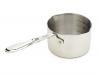
Doesn't one cup in metal, measure the same as one cup in glass?

Ok - let the world know - Martha Stewart I am not! ;)

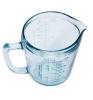
A liquid measure measures app weight for the average liquid where as a dry measure measures volume. Hope this helps. BTW I have found them to be pretty comparable except when baking :)

The amount that your pouch can hold is approximately 1/2 to 1 cup (volume) everyone varies a little bit depending on their pouch and the amount of fill.

Excellent explanation, waterlily. It does make a HUGE difference at times when measuring for baking. And frankly, if you are meauring volume (loke chopped fruits or cherrios, or something like that, it's a better idea to use the metal cup-type for our purposes as it's harder to "cheat." If you've got that big Pyrex liquid measurer, you can let it get a little over the one cup mark and not really notice it. But with the other one, once it's full, it's full.

But as Waterlily also said, everyone is different and I'm not sure you have to be so exact in measuring your food intake.

Join the conversation

You can post now and register later. If you have an account, sign in now to post with your account.

Guest
Reply to this topic...

Trending Products

PatchAid Vitamin Patches

Account

Navigation

Search

Search

Configure browser push notifications

Chrome (Android)
  1. Tap the lock icon next to the address bar.
  2. Tap Permissions → Notifications.
  3. Adjust your preference.
Chrome (Desktop)
  1. Click the padlock icon in the address bar.
  2. Select Site settings.
  3. Find Notifications and adjust your preference.