Skip to content
View in the app

A better way to browse. Learn more.

BariatricPal

A full-screen app on your home screen with push notifications, badges and more.

To install this app on iOS and iPadOS
  1. Tap the Share icon in Safari
  2. Scroll the menu and tap Add to Home Screen.
  3. Tap Add in the top-right corner.
To install this app on Android
  1. Tap the 3-dot menu (⋮) in the top-right corner of the browser.
  2. Tap Add to Home screen or Install app.
  3. Confirm by tapping Install.

Reasons to be cheerful!

Today, with my hair all messy and a cup of coffee in hand, my scale said the following:

99.9kgs

Oh yes indeedy. That is NOT over 100 kilos and NOT in the 3 digits any more.

Yipppppppppeeeeeeeeeeeeeeeeee! :D

  • Replies 9
  • Views 861
  • Created
  • Last Reply

Featured Replies

  • Author

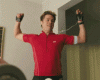
The type of dance which accompanied the revelation :)

post-64496-13838396918289_thumb.gif

AWESOME M.R.! Keep killing it girlfrannnn!

Fantastic!! You know that made you feel great!! Big smile for you! :)

Edited by Beach Lover

You go, girl! But please don't do the Brad dance. :)

Woo hoo!! Way to go! Great job!!!

Congratulations! Well done. On another topic, How is your reflux doing these days? I do hope it's better.

  • Author

Thanks, folks. x

NMJG, reflux not too bad now, thank you. Still have to be careful - not eating/drinking before bed, being careful with what I eat, sleeping upright, etc.. But it is definitely improving! I might not have this forever after all :)

Yay!

Yahoo!!!!!!!!!!!!!!!! Congrats on the good work!

Archived

This topic is now archived and is closed to further replies.

Account

Navigation

Search

Search

Configure browser push notifications

Chrome (Android)
  1. Tap the lock icon next to the address bar.
  2. Tap Permissions → Notifications.
  3. Adjust your preference.
Chrome (Desktop)
  1. Click the padlock icon in the address bar.
  2. Select Site settings.
  3. Find Notifications and adjust your preference.