Skip to content
View in the app

A better way to browse. Learn more.

BariatricPal

A full-screen app on your home screen with push notifications, badges and more.

To install this app on iOS and iPadOS
  1. Tap the Share icon in Safari
  2. Scroll the menu and tap Add to Home Screen.
  3. Tap Add in the top-right corner.
To install this app on Android
  1. Tap the 3-dot menu (⋮) in the top-right corner of the browser.
  2. Tap Add to Home screen or Install app.
  3. Confirm by tapping Install.

1st attempt at puree'n

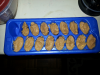
So I am 7 days til surgery and thought.... mmm maybe I will puree some pot roast I made my family. Sounds like a good idea? Got my wizard out and put 2 oz carrots, 2 oz potatoe, 4 oz meat, and 1/8 c broth. It went well... (can't taste it as I'm on liquid pre op)

Anyway it looked good BEFORE I dropped the ice tray full of my tasty baby food looking pot roast on the floor and it soon became dog food! LOL

will try again with another meal (:

#determined

post-41769-13813662942655_thumb.png

  • Replies 2
  • Views 619
  • Created
  • Last Reply

Featured Replies

  • Author

Sorry for adding the picture 3 times ha

Archived

This topic is now archived and is closed to further replies.

Trending Products

PatchAid Vitamin Patches

Account

Navigation

Search

Search

Configure browser push notifications

Chrome (Android)
  1. Tap the lock icon next to the address bar.
  2. Tap Permissions → Notifications.
  3. Adjust your preference.
Chrome (Desktop)
  1. Click the padlock icon in the address bar.
  2. Select Site settings.
  3. Find Notifications and adjust your preference.