Skip to content
View in the app

A better way to browse. Learn more.

BariatricPal

A full-screen app on your home screen with push notifications, badges and more.

To install this app on iOS and iPadOS
  1. Tap the Share icon in Safari
  2. Scroll the menu and tap Add to Home Screen.
  3. Tap Add in the top-right corner.
To install this app on Android
  1. Tap the 3-dot menu (⋮) in the top-right corner of the browser.
  2. Tap Add to Home screen or Install app.
  3. Confirm by tapping Install.

The Picture Thread

  • Replies 317
  • Views 25.2k
  • Created
  • Last Reply

Top Posters In This Topic

Posted Images

Featured Replies

  • Author

Here's some pictures of Point Pleasant Beach NJ.

Took DD there yesterday and we had such beautiful weather. I need to go there more :)

post-204862-13813134905004_thumb.jpg

  • Author

Thats it, I'm tired of resizing them ROFLMFAO !!!!!!

See folks, NJ does have beautiful beaches and beautiful farm land once you get out of the turnpike/newark smelly area.

:)

Wow---I had no idea there were beautiful shores like that----I didn't imagine anything horrible, I guess I never thought about it!!! I too would be there, in SHORTS even....working towards the swimming suit!!!

Kat

Hey Randy, everything ok in there? You've been in there a while.....:)

  • 2 weeks later...

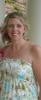
Dianne, you look FAB!!!! I am so proud of you. ~Mandy

Join the conversation

You can post now and register later. If you have an account, sign in now to post with your account.

Guest
Reply to this topic...

Trending Products

PatchAid Vitamin Patches

Account

Navigation

Search

Search

Configure browser push notifications

Chrome (Android)
  1. Tap the lock icon next to the address bar.
  2. Tap Permissions → Notifications.
  3. Adjust your preference.
Chrome (Desktop)
  1. Click the padlock icon in the address bar.
  2. Select Site settings.
  3. Find Notifications and adjust your preference.