Skip to content
View in the app

A better way to browse. Learn more.

BariatricPal

A full-screen app on your home screen with push notifications, badges and more.

To install this app on iOS and iPadOS
  1. Tap the Share icon in Safari
  2. Scroll the menu and tap Add to Home Screen.
  3. Tap Add in the top-right corner.
To install this app on Android
  1. Tap the 3-dot menu (⋮) in the top-right corner of the browser.
  2. Tap Add to Home screen or Install app.
  3. Confirm by tapping Install.

New Ink...

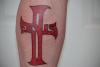
This will be my last tattoo until I finish loosing my weight and my skin stabilizes, then I will go back to working on my sleeve. This is on my left calf, and hurt like hell :D

post-346877-13813141296978_thumb.jpg

  • Replies 3
  • Views 946
  • Created
  • Last Reply

Featured Replies

Impressive! congratulations it can be hard to commit to a tattoo of that size. Looks Great :D

p.s. you were right Dr. Hansen and especially Christie were great!

Thanks again

Great color saturation! Looks really good!

I almost got a tattoo a few weeks ago and had just seen that movie "That's My Boy" where one of the characters had a New Kids on the Block tattoo and after losing all his excess weight they all had Beavis and Butthead shapes heads... So I decided to wait till I get to goal weight... Lol

Archived

This topic is now archived and is closed to further replies.

Trending Products

PatchAid Vitamin Patches

Account

Navigation

Search

Search

Configure browser push notifications

Chrome (Android)
  1. Tap the lock icon next to the address bar.
  2. Tap Permissions → Notifications.
  3. Adjust your preference.
Chrome (Desktop)
  1. Click the padlock icon in the address bar.
  2. Select Site settings.
  3. Find Notifications and adjust your preference.