Skip to content
View in the app

A better way to browse. Learn more.

BariatricPal

A full-screen app on your home screen with push notifications, badges and more.

To install this app on iOS and iPadOS
  1. Tap the Share icon in Safari
  2. Scroll the menu and tap Add to Home Screen.
  3. Tap Add in the top-right corner.
To install this app on Android
  1. Tap the 3-dot menu (⋮) in the top-right corner of the browser.
  2. Tap Add to Home screen or Install app.
  3. Confirm by tapping Install.

Most recent posts page?

I used to sign in to a page that would show the most recent posts. Does that not exist anymore? I found it the best way to keep on top of trending topics.

Thanks

  • Replies 19
  • Views 3.1k
  • Created
  • Last Reply

Top Posters In This Topic

Most Popular Posts

  • Hey there, I'm the Site Administrator for LapBandTalk.com. I've just reviewed the "New Content" - and it's on par with the actual new content. As far as the content being updated every 5 minutes,

  • Alex Brecher
    Alex Brecher

    Yup, should be good to go.

Posted Images
Featured Replies

  • 5 months later...
  • 3 weeks later...

Can we have a new threads function as well? I would much rather see how many new threads/topics there are than see a full list which includes new posts made to threads that may be years old.

Can we have a new threads function as well? I would much rather see how many new threads/topics there are than see a full list which includes new posts made to threads that may be years old.

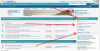
We plan on adding this shortly to the view new content as a new option. In the interim, you can see the last 5 newest topics posted at the top right side of our home page.

76796-81201175428pm.png

Join the conversation

You can post now and register later. If you have an account, sign in now to post with your account.

Guest
Reply to this topic...

Trending Products

PatchAid Vitamin Patches

Account

Navigation

Search

Search

Configure browser push notifications

Chrome (Android)
  1. Tap the lock icon next to the address bar.
  2. Tap Permissions → Notifications.
  3. Adjust your preference.
Chrome (Desktop)
  1. Click the padlock icon in the address bar.
  2. Select Site settings.
  3. Find Notifications and adjust your preference.