RevJ
LAP-BAND Patients
-
Joined
-
Last visited
-
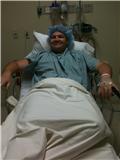
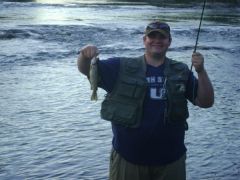
Couple months before my Surgery, but you get the basic idea....I'm a big boy!
-
Going to get banded tomorrow. So When I am not up walking around I'll be playing Modern Warfare 2. Anybody else out there a gamer and playing on the 360 add me and we'll play a few rounds. Gamer tag is Revjsnizzle
-
Mine is tomorrow morning. A little nervous, but more excited I think. It feels like Christmas Eve, where you think Santa is going to leave you a chunk of coal but you're really hoping for that sweet new ride rider BB gun....Fingers crossed...
-
You should tell your husband that they said you have to be on bed rest the next whole week and that he can't go to Mexico cause he has to take care of you.....LOL....FYI I still have to go to mexico...
-
How long after my surgery should I wait before starting P90X? Doc says 2 weeks before starting any vigorous activity, but I am not very patient....suggestions?
-
Thanks Reverie. It is coming up really quick.
-
Tuesday is my big day. Really looking forward to this new life. All the pros and cons that are associated with it. Been big my whole life, typical dieter, big losses and even bigger gains back...tired of it. I've been reading a lot of y'alls posts and appreciate all the info, good and bad. Hope to post here more often.
-
I started doing pushups now, surgery is on tuesday but I figure every little bit helps.:smile2: