Skip to content
View in the app

A better way to browse. Learn more.

BariatricPal

A full-screen app on your home screen with push notifications, badges and more.

To install this app on iOS and iPadOS
  1. Tap the Share icon in Safari
  2. Scroll the menu and tap Add to Home Screen.
  3. Tap Add in the top-right corner.
To install this app on Android
  1. Tap the 3-dot menu (⋮) in the top-right corner of the browser.
  2. Tap Add to Home screen or Install app.
  3. Confirm by tapping Install.
  • Appearance

Join BariatricPal free

  • Ask your own questions
  • Reply and follow topics
  • Message other members
  • No cost, no spam

Bunnylove

LAP-BAND Patients
  • Joined

  • Last visited

Everything posted by Bunnylove

  1. updated phone cant log in
  2. I don't live in north austin but I do live in austin and have had my band since 2009 , I have loss over 160 pounds and only 57 pounds from my goal weight
  3. Hi, I was banded in 2009 here in austin
  4. Images added to a gallery album owned by Bunnylove in Member Photo Gallery
    Bunnylove, a weight loss surgery photo album by Bunnylove on BariatricPal. 2 photos in Member Photo Gallery.
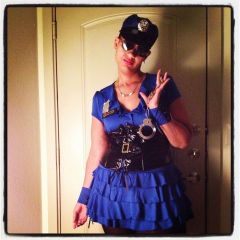
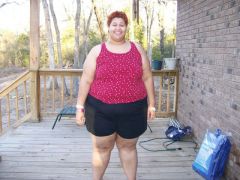
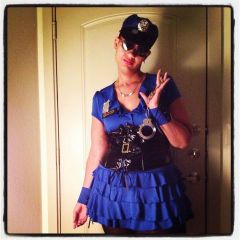
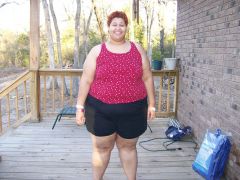
  5. Images added to a gallery album owned by Bunnylove in Before and After Lap Band Photos
    Bunnylove, a weight loss surgery photo album by Bunnylove on BariatricPal. 3 photos in Before and After Lap Band Photos.
  6. Thank you , it's been a lot a work , but it has been worth it , .... Yes I have a few small scars and then one big where my port sitting . I can hardly see them now ... I would take a bath with liquid vitamin E , it help a lot
  7. The follow up care as been really good. They really stay on you to eat right which help me a lot , the lap band has work for me , I used to weigh 408 pounds has of right now I weigh 272 . 82 pounds away from my goal ....
  8. I used true results austin , I have been band since feb 2009 . Really great people there

Account

Navigation

Search

Search

Configure browser push notifications

Chrome (Android)
  1. Tap the lock icon next to the address bar.
  2. Tap Permissions → Notifications.
  3. Adjust your preference.
Chrome (Desktop)
  1. Click the padlock icon in the address bar.
  2. Select Site settings.
  3. Find Notifications and adjust your preference.