




Skip to content
View in the app

A better way to browse. Learn more.

BariatricPal

A full-screen app on your home screen with push notifications, badges and more.

To install this app on iOS and iPadOS
  1. Tap the Share icon in Safari
  2. Scroll the menu and tap Add to Home Screen.
  3. Tap Add in the top-right corner.
To install this app on Android
  1. Tap the 3-dot menu (⋮) in the top-right corner of the browser.
  2. Tap Add to Home screen or Install app.
  3. Confirm by tapping Install.
  • Appearance

Join BariatricPal free

  • Ask your own questions
  • Reply and follow topics
  • Message other members
  • No cost, no spam

abra*smile

LAP-BAND Patients
  • Joined

  • Last visited

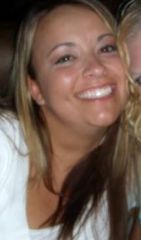
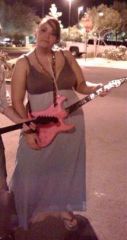
  1. Images added to a gallery album owned by abra*smile in Member Photo Gallery
    All about me..., a weight loss surgery photo album by abra*smile on BariatricPal. 2 photos in Member Photo Gallery.
  2. #1. Surgery date? Monday February 8th #2. State you live in? UTah #3. Doctor/Surgery Center? Dr. Darrin Hansen/South Valley Surgical #4. Insurance or self pay? Insurance #5. Age and height.. 27 5'7" #6. Current weight and goal weight? 300 170 #7. What was your deciding factor for having this surgery? wanting to gain control of myself and my eating habits #7. Do you have the support of family and friends? My family is very supportive. My boyfriend has concerns but overall is supporting my decision #8. Concerns and questions? I am of course scared with the fact of surgery but overall feel very blessed to have this opportunity
Account

Navigation

Search

Search

Configure browser push notifications

Chrome (Android)
  1. Tap the lock icon next to the address bar.
  2. Tap Permissions → Notifications.
  3. Adjust your preference.
Chrome (Desktop)
  1. Click the padlock icon in the address bar.
  2. Select Site settings.
  3. Find Notifications and adjust your preference.