




Skip to content
View in the app

A better way to browse. Learn more.

BariatricPal

A full-screen app on your home screen with push notifications, badges and more.

To install this app on iOS and iPadOS
  1. Tap the Share icon in Safari
  2. Scroll the menu and tap Add to Home Screen.
  3. Tap Add in the top-right corner.
To install this app on Android
  1. Tap the 3-dot menu (⋮) in the top-right corner of the browser.
  2. Tap Add to Home screen or Install app.
  3. Confirm by tapping Install.
  • Appearance

Join BariatricPal free

  • Ask your own questions
  • Reply and follow topics
  • Message other members
  • No cost, no spam

gochevy3

LAP-BAND Patients
  • Joined

  • Last visited

Everything posted by gochevy3

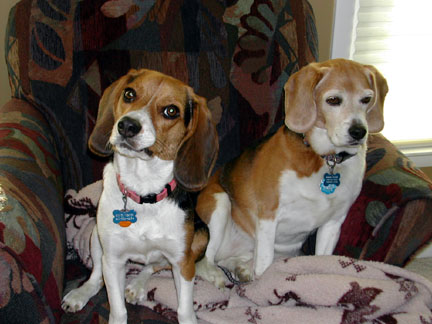
  1. Here are my 2 girls. (4 legged ones) Dodger and Hoover Today is Dodgers 12th birthday, and Hoover is 4 Hoover got her name becasue her big sister eats everything that hits the floor(like a vaccuum), unless she can catch it before it hits...LOL
  2. Lets see if you can tell if I am a Nascar fan by my screen name. The last 5 years have been completely different, but the closest thing to to the intimidator is Smoke. I was a bit of a Jr fan, but it never felt right. Then when Tony was not popular and was driving like Dale did, I became a 20 Fan
  3. Im brand new to the page, and soon to be banded. This is a topic I have been thinking about. What about sushi? It seems like the rice has given many people a problem, but maybe sashimi will work? Anyone have any experiences with this?
Account

Navigation

Search

Search

Configure browser push notifications

Chrome (Android)
  1. Tap the lock icon next to the address bar.
  2. Tap Permissions → Notifications.
  3. Adjust your preference.
Chrome (Desktop)
  1. Click the padlock icon in the address bar.
  2. Select Site settings.
  3. Find Notifications and adjust your preference.