
Heather1833
Gastric Sleeve Patients
-
Joined
-
Last visited
Everything posted by Heather1833
-
I travel for work and I always bring a cooler with an ice pack. Usually bring protein shakes, bottled waters and some easy to transport snacks (cheese, boiled egg, nuts, etc). Sometimes I make a grown-up version of lunchables in plastic divided containers. Just put some cheese, deli meat, veggies, fruit, etc in them. The cooler also comes in handy when I eat at a restaurant because my portions are so small that I always have leftovers!
-
Hi everyone! Finally checking in after my VSG surgery on the 15th. Surgery went well and there were no complications. Drinking fluids has been harder than I expected, even with tiny sips. They have me taking multiple pills each day (Tylenol, protonix, solace, etc) so it takes a while to be able to get the pills down. I can drink maybe one protein drink per day. Able to stay hydrated but otherwise, it is a chore. Have my follow up appointment next Monday so we will see if they move me to purees/soft foods. Hope everyone is doing well!
-
I just started as well. Hang in there! Believing this will be worth it ❤️
-
I am also scheduled for November 15th!! So excited!
-
 A weight loss surgery photo shared by Heather1833 in Before and After Gastric Sleeve Photos on BariatricPal.
 -
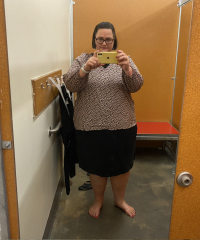 A weight loss surgery photo shared by Heather1833 in Before and After Gastric Sleeve Photos on BariatricPal.
 -
Hi there! New member so hello & good luck to my November 2023 surgery buddies ❤️ Just found out my surgery date is November 15th. SW: 320 CW: 304 IMG_0725.HEIC