
Corine1014
Gastric Sleeve Patients
-
Joined
-
Last visited
-
-
-
-
-
-
Since surgery I’m down 15 pounds how about yourself?
-
@rolawre Since surgery I’m down 15 lbs how about you?
-
-
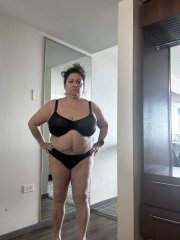
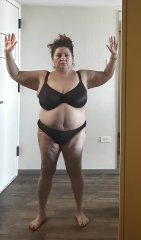
February 3 was my first appointment and pics
-
Corine1014 changed their profile photo
-
-
-
-
-
-
-
-
-
For me every time Im over weight I get that buffalo hump on the back of my neck. 4 days postop I could literally feel that it went down yeah?
-
Girl me too !!! I don’t have to pull up my leg onto the other by the leg of my jeans anymore either yay! ??
-
-
-
Hi my name Corine and I’m 51 and I got mine on March 22, 2023 so good so far some people thought I might be too old to get it done but I said no way let’s do it.
-
-
-
-
Hi Everyone !!! Mine is March 22nd… wishing all a healthy journey ??