Skip to content
View in the app

A better way to browse. Learn more.

BariatricPal

A full-screen app on your home screen with push notifications, badges and more.

To install this app on iOS and iPadOS
  1. Tap the Share icon in Safari
  2. Scroll the menu and tap Add to Home Screen.
  3. Tap Add in the top-right corner.
To install this app on Android
  1. Tap the 3-dot menu (⋮) in the top-right corner of the browser.
  2. Tap Add to Home screen or Install app.
  3. Confirm by tapping Install.

JulieAnn718

Gastric Sleeve Patients
  • Joined

  • Last visited

Everything posted by JulieAnn718

  1. Same - excited and nervous! Mine is 6/6 but I don’t have my time yet. I hope it’s early! Good luck to you!
  2. So far, so good. I’m lacking energy today so I’m glad it’s a long weekend! How’s the pre-op diet going for you?
  3. Oh that’s great! I’ve lost 7 lbs in the first five days of the pre-op diet! It’s nice to see the numbers moving that direction! Good luck to you!!!
  4. Me too!!! I’m on day four of pre-op diet! Just did my pre-op class today!!! It’s getting so close!!!
  5. My surgery is June 6 as well. This last week was tough but I feel better going into this next week. How are you doing?
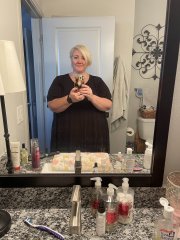
  6. Images added to a gallery album owned by JulieAnn718 in Member Photo Gallery
    Before surgery

Trending Products

PatchAid Vitamin Patches

Account

Navigation

Search

Search

Configure browser push notifications

Chrome (Android)
  1. Tap the lock icon next to the address bar.
  2. Tap Permissions → Notifications.
  3. Adjust your preference.
Chrome (Desktop)
  1. Click the padlock icon in the address bar.
  2. Select Site settings.
  3. Find Notifications and adjust your preference.