




Skip to content
View in the app

A better way to browse. Learn more.

BariatricPal

A full-screen app on your home screen with push notifications, badges and more.

To install this app on iOS and iPadOS
  1. Tap the Share icon in Safari
  2. Scroll the menu and tap Add to Home Screen.
  3. Tap Add in the top-right corner.
To install this app on Android
  1. Tap the 3-dot menu (⋮) in the top-right corner of the browser.
  2. Tap Add to Home screen or Install app.
  3. Confirm by tapping Install.

marsan8689

Pre Op
  • Joined

  • Last visited

Everything posted by marsan8689

  1. I get it but first I must ask, are you moving the scale every time you’re going to weigh yourself? Every time you move the scale it has to re calibrates. So it’s possible your not getting a correct reading. Try to set up in one spot, so you don’t have to move it. I hope that that is the issue. But don’t be discouraged eventually you should reach your goal weight! Good luck!
  2. Good to know and will surely keep you posted!
  3. I just had my revision done 8/25! This one seems more painful than the first one!
  4. I’m sorry you had such a hard time! I just had my revision as well on the 8/25 and also had my hiatel hernia repaired. I also noticed that I have more pain after this surgery in relation to my original surgery!
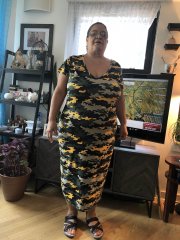
  5. Images added to a gallery album owned by marsan8689 in Member Photo Gallery
    This is my first it’s since revision surgery the obmybhy
Trending Products

PatchAid Vitamin Patches

Account

Navigation

Search

Search

Configure browser push notifications

Chrome (Android)
  1. Tap the lock icon next to the address bar.
  2. Tap Permissions → Notifications.
  3. Adjust your preference.
Chrome (Desktop)
  1. Click the padlock icon in the address bar.
  2. Select Site settings.
  3. Find Notifications and adjust your preference.