Skip to content
View in the app

A better way to browse. Learn more.

BariatricPal

A full-screen app on your home screen with push notifications, badges and more.

To install this app on iOS and iPadOS
  1. Tap the Share icon in Safari
  2. Scroll the menu and tap Add to Home Screen.
  3. Tap Add in the top-right corner.
To install this app on Android
  1. Tap the 3-dot menu (⋮) in the top-right corner of the browser.
  2. Tap Add to Home screen or Install app.
  3. Confirm by tapping Install.
  • Appearance

Join BariatricPal free

  • Ask your own questions
  • Reply and follow topics
  • Message other members
  • No cost, no spam

Gekeelar84

Pre Op
  • Joined

  • Last visited

Everything posted by Gekeelar84

  1. I just had the surgery on 6/26 and sooooooo tired of my protein shakes, I have 6 different flavors (choc,ban,van,straw,caramel,peaches,) anybody have any nice tips or recipes ideas to spruce them up lol?...
  2. I'm having mines removed next week during my surgery ( another friend of mine just had her surgery last week and at her request they are removing hers)
  3. I have my surgery next weds too!!! ...are you located in north Carolina?
  4. Hi AllieCat I'm going through the Rex bariatrics program too!! Surgery date June 26th!!, I'm getting DS through Dr sharp...so nervous and excited
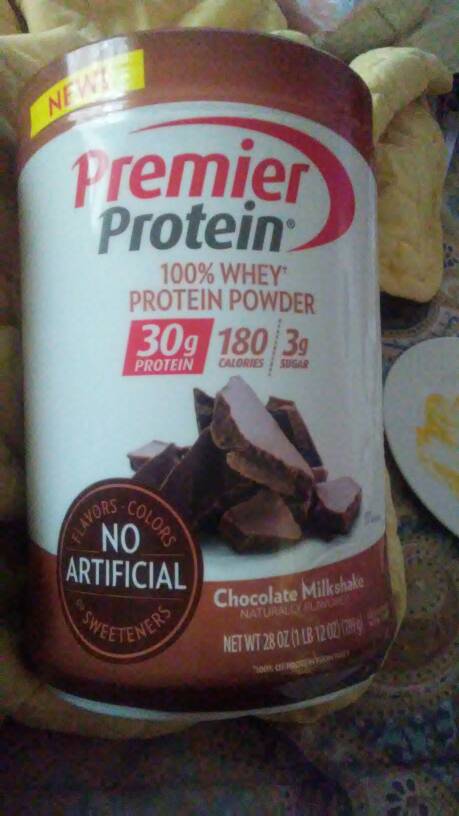
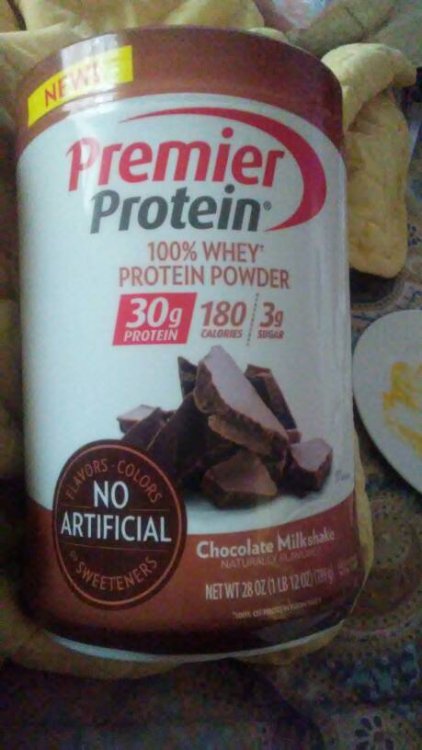
  5. Did anyone use this type of premier liquid? [emoji43] [emoji37] I know it says in my book to use protein isolate but this says protein concentrate, feeling [emoji53] confused
Account

Navigation

Search

Search

Configure browser push notifications

Chrome (Android)
  1. Tap the lock icon next to the address bar.
  2. Tap Permissions → Notifications.
  3. Adjust your preference.
Chrome (Desktop)
  1. Click the padlock icon in the address bar.
  2. Select Site settings.
  3. Find Notifications and adjust your preference.