




Skip to content
View in the app

A better way to browse. Learn more.

BariatricPal

A full-screen app on your home screen with push notifications, badges and more.

To install this app on iOS and iPadOS
  1. Tap the Share icon in Safari
  2. Scroll the menu and tap Add to Home Screen.
  3. Tap Add in the top-right corner.
To install this app on Android
  1. Tap the 3-dot menu (⋮) in the top-right corner of the browser.
  2. Tap Add to Home screen or Install app.
  3. Confirm by tapping Install.
  • Appearance

Join BariatricPal free

  • Ask your own questions
  • Reply and follow topics
  • Message other members
  • No cost, no spam

calpauly

Pre Op
  • Joined

  • Last visited

  1.    Martinichic reacted to a post in a topic: April sleevers!?
  2.    BubbleSam reacted to a post in a topic: April sleevers!?
  3.    Cass Elliot reacted to a post in a topic: April sleevers!?
  4.    FattoFit7 reacted to a post in a topic: April sleevers!?
  5.    calpauly reacted to a post in a topic: April sleevers!?
  6.    Bella74 reacted to a post in a topic: April sleevers!?
  7.    Finding_Stacy reacted to a post in a topic: April sleevers!?
  8.    Simplyrosie reacted to a post in a topic: April sleevers!?
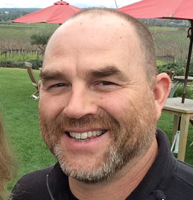
  9. calpauly changed their profile photo
  10. I got sleeved on the 13th. My goal is to get off of my CPAP by the end of the year. My BMI was 37 at surgery and if I can get it into the mid twenties and sleep peacefully and wake up rested, it will have been worth it. The monotony of the Liquid Protein diet 7 days post-op is a drag but the weight is coming off and the possibility of life without my CPAP machine is great motivation. Wish me luck and best of luck to everyone here!
  11.    calpauly reacted to a post in a topic: Missing food: so emotional
  12. Refried beans sounds pretty good right now, but I digress. You should enjoy those things again at some point but with a new tool and knowledge that helps you to not eat portions/quantities that don't make sense. And that's a good thing. A really good thing. Keep up the good work and thanks for sharing.


Account

Navigation

Search

Search

Configure browser push notifications

Chrome (Android)
  1. Tap the lock icon next to the address bar.
  2. Tap Permissions → Notifications.
  3. Adjust your preference.
Chrome (Desktop)
  1. Click the padlock icon in the address bar.
  2. Select Site settings.
  3. Find Notifications and adjust your preference.