Patriotsfanatic
Gastric Sleeve Patients
-
Joined
-
Last visited
-
-
-
-
-
-
-
-
-
-
-
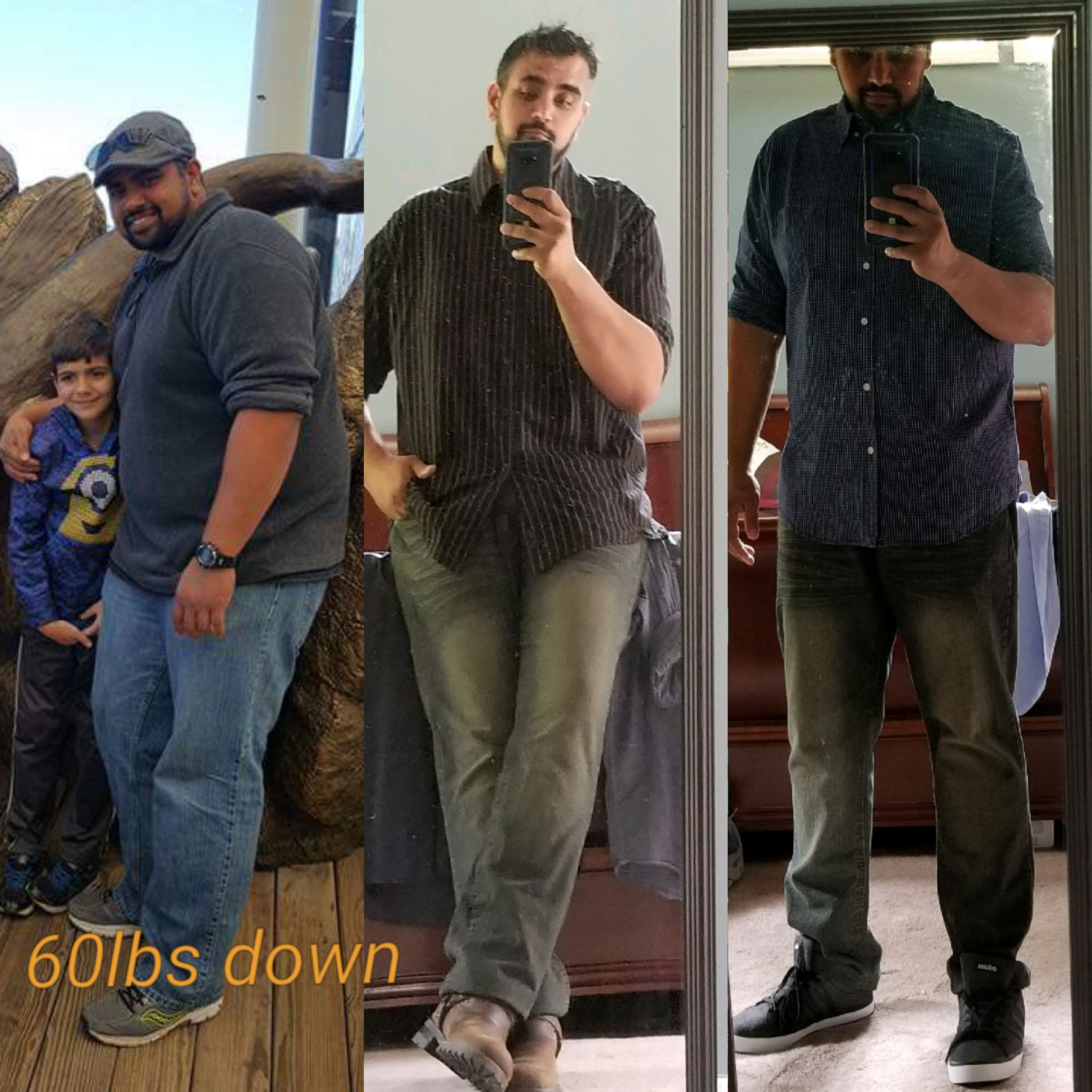
Wow amazing! Beautiful before and after! Congrats on your new life!
-
-
-
Im 3 months post op... I take a very small thyriod pill that I've always been able to swallow even right after post op. My multi vitamin (big as a horse tranquilizer haha) I had to chew up but only till week 8ish... then I was able to go back to swallow them. Now I take 3 pills at a time and no issues. Dont stress too much!
-
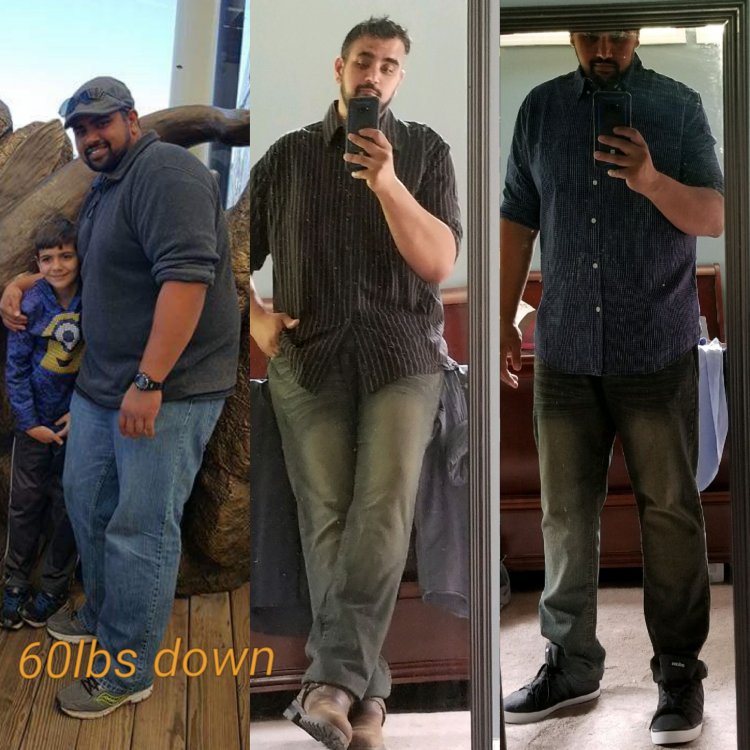
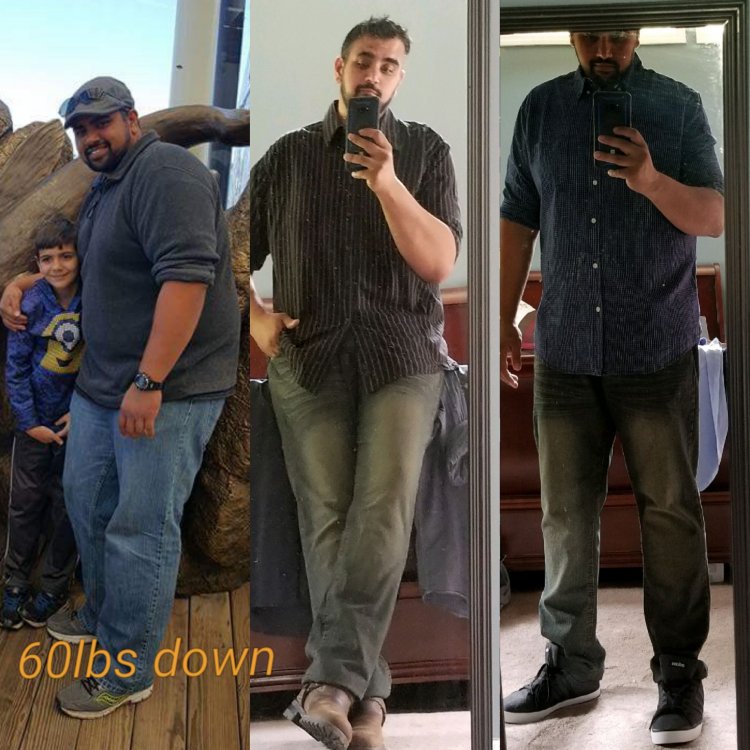
Keep your head up... I'm about 3 months out and I felt exactly like you the first few weeks. This sacrifice now will definitely pay off in due time! Now im 60 lbs down and feel great! Congrats on changing your life!
-
My doctor said 4-6 weeks...dont push it and cause more problems... your stomach isnt fully healed inside till week 6 they say.
-
Surgery date: May 2nd Feeling great! 30 more to go till goal!
-
Surgery date was May 2nd! Feeling great! 30 left to go! ?
-
-
-
-
-
Patriotsfanatic changed their profile photo
-
Soooo... I'm 8 weeks post op.... 50 lbs down, which is great! But I'm having back issues from an old issue years back. Curious if anyone else is dealing with something similar? About 10 years ago I used to move pianos for a living and threw my back out at a job. Ever since then that spot has always bothered me but only occasionally. Sometimes it would just ache and at others if I turned the wrong way, I would throw it back out. Even when I get massages I have to tell them to skip that lower side because it hurts too much. Anyways after losing the 50 lbs that spot on my back is killing me everyday now. Aleve does help but I don't want to use any of that stuff on the regular. Ironically I thought losing weight will help with my back issues not make them worse haha! I'm back to weight training and working on some low impact back excersises so hopefully that will help. Like I said just curious if anyone else is or had experienced the same. Thanks in advance!
-
I was on liquids for 11 days ....should of been 9 but was having a hard time getting my protein in. Today is my first day of puree. Then in another week if all is well, I'll be approved to move onto soft foods for 2 weeks I believe... then set free to try different meats and so on after that. I had a 2 week liquid only diet pre op....that was horrid! At least im not feeling hungry...just really bad head hunger that you just have to fight off. Keep your head up and keep pushing along, the days will add up quickly.
-
I'm about 10 days out and it took me alittle over a week to reach my protein goals of 104 grams a day. I felt exactly like you...every sip I took I burped...it does get better with time....just drink slow and super small sips. Takes some getting used to. Hang in there. I had to switch from 6 ensure high protein (too thick and sweet, 16grams of protein) to the unjury powder mixed with 8oz of fairlife milk. Far less sweet and the powder is 21 grams + 13 grams of protein of fairlife milk. I only have to have 3 shakes to get to goal. So much easier!
-
-
I didn't have one till day 6.... then everyday since. They told me not to start taking anything additional till day 7.
-
-
I'm also having a very hard time with the protien shakes. They want me to get 5 ensures down! Yea right! So I switched to unjury powder and fairlife milk. Much thinner and less sweet. I still have to push it down but it's much easier because I only have to have 3. 21 grams of protein in unjury...another 13 with the fairlife milk. Tomm I get to start pureed stage hopefully after a phone call with the nurse. I'm 10 days out.
-
Why yes I am! Proud diehard pats/Brady fan ??????
-
-
Mix your unjury shakes with fairlife fat free milk for added protein. 8 oz of fairlife is 13 grams of protein. Much easier for me to get to my post op protein goals.
-
-
How are you holding down the protien shakes? I get so nauseous on the first sip of it. I had to call my surgeon today to get some anti Nausea meds called in for me because I was dry heaving bad this morning.
-
I was sleeved yesterday...most of my gas pains seem to be sitting right below my rib cage on the front on me. The big incision hurts the most out of anything. Mainly when I get up and down. I felt VERY nauseous for about 24 hrs... doctors changed my meds this morning to try something else and I feel 100% better. My back is ok though... only uncomfortable because im laying down for so long. Sorry cant be much help there. Good luck on your recovery!