tripod65
LAP-BAND Patients
-
Joined
-
Last visited
-
43,single,banded 2007...30 lbs. from goal...lonely out here in the middle of nowhere northeastern Nevada.
-
I am at 2.5 in a 4cc and drink beer on my days off and don't have any problems if I drink slowly.Just keep in mind all those useless empty calories.
-
I don't see what the big deal is, aside from the calories. I still have the occassional beer or three.I just drink slowly and not very often. Maybe I have just been lucky with the whole gas thing!
-
I'm a underground miner and I went back to work in four days. Everyone is different.You will have to do what's right for you. Whether it's four days or four weeks.You will know when you are ready.Good Luck!
-
I was told no carbonated beverages and I gave up a six pack of soda a day habit and have'nt missed it.Although, I still enjoy the occassional beer or two..drank SLOWLY.
-
I don't know what you call it . I get that sometimes too! Usually it's if I don't chew enough or it's something tough like meat. I'm sure someone here will know the technical term for it.I just had my 3rd fill april 17th and I don't know that that has anything to do with it. Kerplunking(you invented a new term I think! lol) has happened to me a several times since surgery regardless of my fill level.It happened to me tonight with turkey breast...too dry.
-
Good Luck!!!:cool2:
-
For me 4 incisions in a diamond pattern on stomach. 3 are maybe 1/4 to 1/2 inch long and the other is about 2 inches long.After 11 months he little ones are almost invisible and the 2 incher is fading. The fill port is about the size of a nickle and it is attached to the muscle wall under the skin 2 or 3 inches below your breast and no you can't see it but, you can feel it if you push on it. To fill it they give you a shot of local pain killer then stick a needle into your port to fill it. Other than the initial pain shot there is no pain at all and the pain shot does'nt hurt anyore than any other shot you have ever had.You can feel it when they are filling you but, there is no pain.:cool2:
-
Good Luck and have patience! The red tape seems like it takes forever to get through,but it will eventually work out.
-
The whole process takes several months and the red tape is a pain.For me it was worth it.Banded last june-75 down 45 to go! Good Luck and ask lots of questions of your doc.
-
I personally don't think there is a politician out there,on either side,who gives a rat's ass about anything other than their own re-election and personal power.
-
Just got my 3rd fill 2 weeks ago to2.5 and think this may be the sweet spot!
-
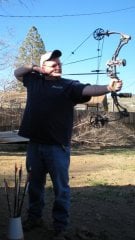
just me, a weight loss surgery photo album by tripod65 on BariatricPal. 5 photos in Member Photo Gallery.
-
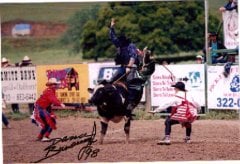
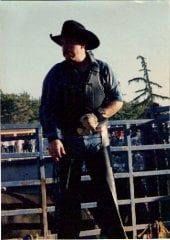
Hi, I'm an underground gold miner in northeastern Nevada.I'm single with 2 teenage daughters who live with their mother in Ca.Banded June 07.
-
-
Yippee Ki Yaa!!!! Gibson!