jennijo
Pre Op
-
Joined
-
Last visited
Everything posted by jennijo
-
You made a huge decision in your life. Just remind yourself it's for the best. Keep your head up and keep pushing through. Do what your suppose to and everything should be just fine!
-
When I came home I did quite a bit for myself to stay moving. Key while in hospital is walking as many laps as possibly allowed. That will help with recovery! Best of luck.
-
I was out 6 weeks but I have a physical demanding job. I heard some went back sooner. Good luck with your new journey and good luck in nursing school!
-
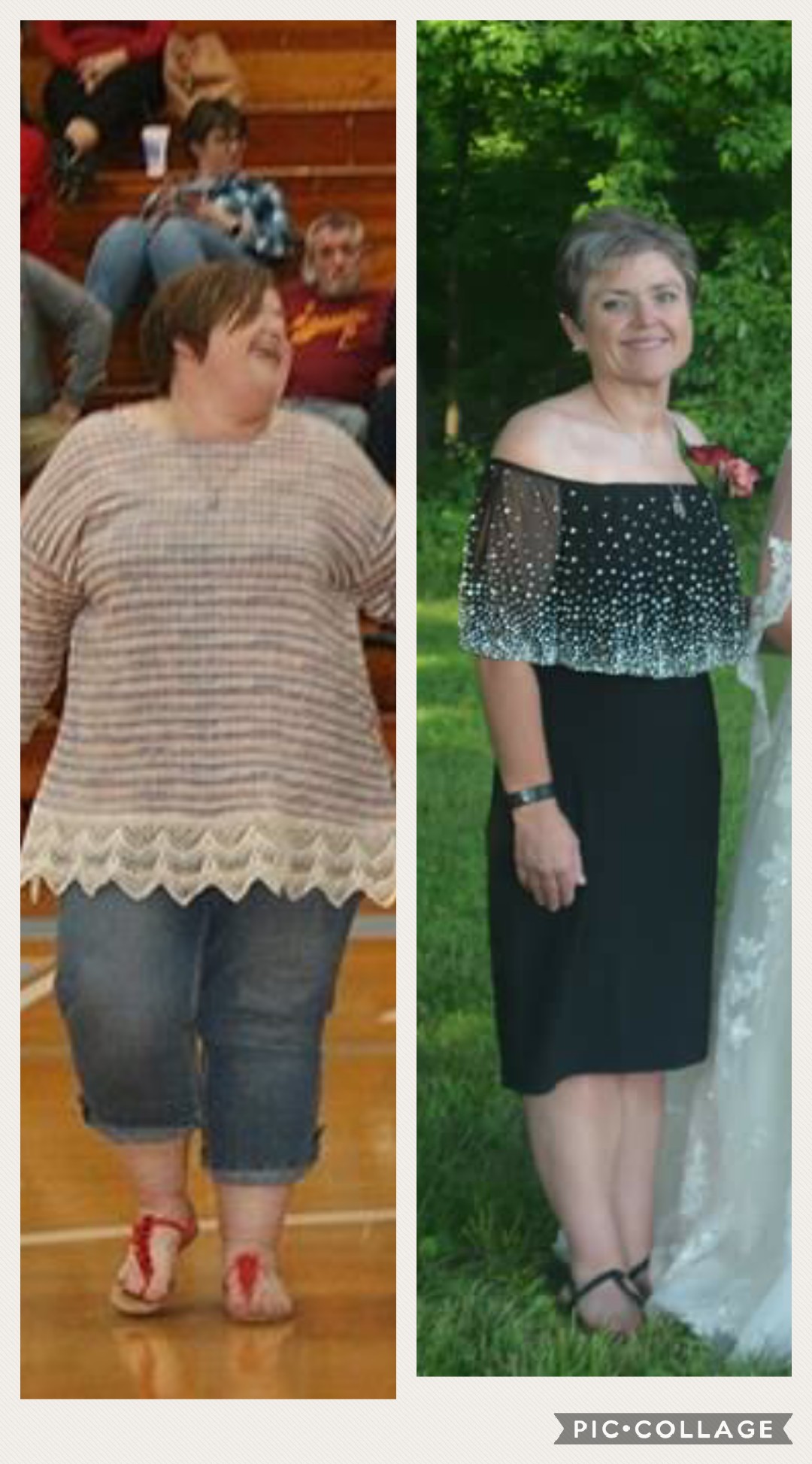
Just stay motivated with it. It's a life changing event. I am a year out now and have lost 170 pounds. I still protein shake in the mornings sometimes. And I still eat protein bars also. Some of them taste really good and are sorta like a treat. Best of luck with your new journey!
-
Always remember why you did it. Order what you want and don't let him make you feel bad for bettering your health.
-
It's a very weird feeling to see yourself in a mirror after loosing a lot of weight. I am almost a year out and have dropped 170 pounds and it is exciting and scary all in the same breathe.
-
Thanks everyone! It's been a journey like no other!I will be 1 year out on October 6th. I've reach and went below what doctor has given as a goal. I went from 298 to current weight of 132. I am very pleased with the progress I have made throughout this past year. It is a mind set you have to live with forever. I have been given a highly helpful tool with my sleeve and thank God daily for it. Hope all you other sleevers are having as good of progress as I have had!That's awesome!I'm so excited to have a date set! It will be a huge change but one that will make a life change!How long were you off work? Not everyone has a desk job, manual laborers this question could be answered from you.... and I understand not everyone is the same on healing.What's that? Sacred heart soup??Liquid diet? NoLiquid diet? NoBeen awhile, new phone switching jobs and just life in general!! Feeling pretty stoked!Received a letter from dr office today saying I've meet all my requirements and just awaiting insurance to get with me in a couple of weeks! Getting excited!!Inspirational!I've got my 6 months in with my family physician! Went pretty fast! Now on to the next chapter of the process, feeling more excited now! Best of luck to everyone who is on this journey!!Down another 4 pounds, 1 more month of dr visits then we will see where this all! Feeling good! .... also started support group this month, it was useful hearing people's stories and very interesting.Congratulations!It was not bad at all. I didn't feel uncomfortable nor nervous. Yes, there was a questionnaire I filled out before I went back with dr, it was basically a history of your life. I was done in about 1 1/2 hours, I just answered all his questions honestly and everything went smoothly. Don't be nervous, it is a good thing to do. Best of luck!!Evaluation, sorry folks. Typing this on my phone [emoji336]Today I had my evolution. I honestly was there only about a hour and ten minutes. Glad for that! So the 3 hour time for me wasn't true. Everything is falling into place and seems to be going as planned!I'm down around 50 pounds now. Pretty proud of myself so far. Go April 20 for psych evol.