virtuous83
Pre Op
-
Joined
-
Last visited
Everything posted by virtuous83
-
I can relate. I did exactly what you said, I stayed prayed up. The thing fear that we fear the most will become our reality! Stay positive and continue to stay prayed up, the Word tells us man don't live by bread alone! Sent from my iPhone using the BariatricPal App
-
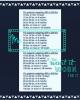
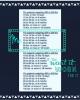
I was concerned because I am two weeks out today and have hit a stall and then I found this lil guide. Let's Be encouraged and not despise our small beginnings!!! One step at a time is how we shall finish this race!!! Sent from my iPhone using the BariatricPal App
-
Sent from my iPhone using the BariatricPal App
-
I have stalled also and I'm two weeks out today. But found this lil chart Sent from my iPhone using the BariatricPal App
-
That happened to me too. I had a metallic taste in my mouth that was preventing me from eating and drinking. This also happened to me while I was pregnant. I bought the salty prunes (saladidos I don't think I spelled it correctly) and it helped take the taste away and I was able to eat and drink (I did not eat them just lick them before Eating and drinking) I also switched my Water. Sent from my iPhone using the BariatricPal App