Skip to content
View in the app

A better way to browse. Learn more.

BariatricPal

A full-screen app on your home screen with push notifications, badges and more.

To install this app on iOS and iPadOS
  1. Tap the Share icon in Safari
  2. Scroll the menu and tap Add to Home Screen.
  3. Tap Add in the top-right corner.
To install this app on Android
  1. Tap the 3-dot menu (⋮) in the top-right corner of the browser.
  2. Tap Add to Home screen or Install app.
  3. Confirm by tapping Install.
  • Appearance

Join BariatricPal free

  • Ask your own questions
  • Reply and follow topics
  • Message other members
  • No cost, no spam

Mz_Allen2017

Gastric Sleeve Patients
  • Joined

  • Last visited

  1. Mz_Allen2017 changed their profile photo
  2. i hope this helps... http://www.obesitycoverage.com/insurance-and-costs/pre-approval-process/appealing-a-denied-request-for-bariatric-surgery-coverage
  3.    suzzzzz reacted to a post in a topic: The consultation went great!
  4. I got a handbook to look at the different types of surgeries. I got my blood work done today and I have to schedule to get my ultrasound and x ray done. I also got to meet and speak with the nutritionist. My insurance requires me to go 6 months, but that's fine. Overall, I'm still on board for the surgery, and I'd like to get the gastric sleeve. Until then, I'm going to keep exercising and eating as healthy as I can to try to get this weight down. [emoji6]
  5. @@Serenity141 me too! Lol I asked my best friend to come with me, cause I don't know what to expect Sent from my SM-N930P using the BariatricPal App
  6.    Jane1979 reacted to a post in a topic: First meeting w/Surgeon tomorrow!
  7. I got next Wednesday, and I feel the same. Excited, anxious, and scared all at once! Sent from my SM-N930P using the BariatricPal App
  8. Images added to a gallery album owned by Mz_Allen2017 in Member Photo Gallery
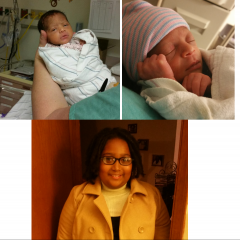
    pictures of my three children. My twins (one passed away) and my 9 year old

Account

Navigation

Search

Search

Configure browser push notifications

Chrome (Android)
  1. Tap the lock icon next to the address bar.
  2. Tap Permissions → Notifications.
  3. Adjust your preference.
Chrome (Desktop)
  1. Click the padlock icon in the address bar.
  2. Select Site settings.
  3. Find Notifications and adjust your preference.