Skip to content
View in the app

A better way to browse. Learn more.

BariatricPal

A full-screen app on your home screen with push notifications, badges and more.

To install this app on iOS and iPadOS
  1. Tap the Share icon in Safari
  2. Scroll the menu and tap Add to Home Screen.
  3. Tap Add in the top-right corner.
To install this app on Android
  1. Tap the 3-dot menu (⋮) in the top-right corner of the browser.
  2. Tap Add to Home screen or Install app.
  3. Confirm by tapping Install.
  • Appearance

Join BariatricPal free

  • Ask your own questions
  • Reply and follow topics
  • Message other members
  • No cost, no spam

cryssthephoenix

Gastric Sleeve Patients
  • Joined

  • Last visited

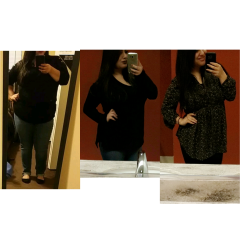
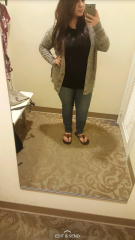
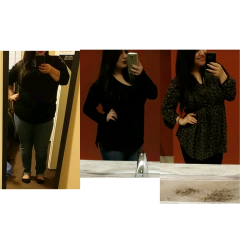
  1. Images added to a gallery album owned by cryssthephoenix in Before and After Gastric Sleeve Photos
    cryssthephoenix, a weight loss surgery photo album by cryssthephoenix on BariatricPal. 5 photos in Before and After Gastric Sleeve Photos.
  2. cryssthephoenix changed their profile photo
  3.    lelewatson reacted to a post in a topic: How Has Your Food Budget Changed?
  4.    Inner Surfer Girl reacted to a post in a topic: How Has Your Food Budget Changed?
  5.    sweesee reacted to a post in a topic: How Has Your Food Budget Changed?
  6.    Alex Brecher reacted to a post in a topic: How Has Your Food Budget Changed?
  7.    cryssthephoenix reacted to a post in a topic: How Has Your Food Budget Changed?
  8. After thoroughly looking over my finances I found that prior to surgery I was spending anywhere between $10- $25 DAILY on eating out. Weekly that amounted to well over $50. This lifestyle change is definitely much less expensive. The supplements are definitely a little pricey but overall I think that this lifestyle change has definitely saved me a whole bunch of money. I have got in the habit of meal prepping and it has become addicting! It still amazes me that about $20 of groceries (depending on where I go) is enough to prepare all the meals I'll need for 1-2 weeks! Healthy doesn't always equal expensive. If you take the time to shop around you're bound to find some great deals! Sent from my SM-N920P using the BariatricPal App

Account

Navigation

Search

Search

Configure browser push notifications

Chrome (Android)
  1. Tap the lock icon next to the address bar.
  2. Tap Permissions → Notifications.
  3. Adjust your preference.
Chrome (Desktop)
  1. Click the padlock icon in the address bar.
  2. Select Site settings.
  3. Find Notifications and adjust your preference.