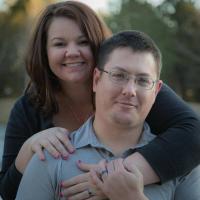
amandaelder4
Gastric Sleeve Patients
-
Joined
-
Last visited
-
-
-
-
-
Bio freeze is amazing. I use it all the time and I had a similar pain closer to my belly button. Just insure it's not ok your incision. Sent from my SM-G920P using the BariatricPal App *just make sure it is not on your incision. Man autocorrect is killing me. Sent from my SM-G920P using the BariatricPal App
-
-
-
Yay for new buddies. You seem to be in good spirits so you must be doing well after surgery. Are you struggling with anything? What is your favorite food right now?
-
-
-
-
-
Oh yes we are so close in stats! I'll add you as a friend and we can message eachother , how does that sound? Sent from my SM-G920P using the BariatricPal App
-
-
-
Please consider to share your progress. For me, I feel good about losing so far but also feel impatient for it to go down with so much more to lose for goal!I would love to share my progress. How far along are you on your journey? Sent from my SM-G920P using the BariatricPal App
-
-
-
-
Excellent. I am 2 days post op and I do feel like my legs are a bit squishier than before. I look forward to seeing the progress. Sent from my SM-G920P using the BariatricPal App
-
-
-
I felt like "what the heck did I do" the first day after surgery. The second day a bit better. So i am guessing it will get better as the days keep going. I figure we see all these success stories and we just have to hang in there. We've got this. Sent from my SM-G920P using the BariatricPal App
-
Don't be so down on yourself. Like everyone is saying these are your choices and if you felt great about your choice and it made you happy, then that is what is important. My nutritionist very much believes that if one day i want to have a cheese burger I can have one, but no ml pretty than one a week. From this part it is about moderation and control. Being on a lifestyle change doesn't mean you have to be miserable it just means you need to be cautious and aware of what you are putting in your mouth. We all have that one thing that we love the most and there is nothing that says you can't have it, you just need to have small amounts less often. Good luck with your journey! Sent from my SM-G920P using the BariatricPal App
-
-
Looking good! Sent from my SM-G920P using the BariatricPal App
-
-
-
I just added you on IG. I find support in both places. This is a great place to talk thing out and IG is a great place to share in your experience with pictures! Sent from my SM-G920P using the BariatricPal App
-
@@ready16 I think you will find the sleeve very successful. I don't know how much weight you have to loose but I have a little over 200 and I have seen some gals do that in a year. Sent from my SM-G920P using the BariatricPal App
-
Yes that is what everyone means. But not everyone is on just liquids. My doctor just requires me to have low carb. Sent from my SM-G920P using the BariatricPal App
-
For me the decision between the sleeve and bypass was looking 20 years down the road. I like the fact that the sleeve allows the body to still maintain its natural flow of digestion. The stomach serves a great purpose when eating, all of the natural bacteria and enzymes are good for the body. I didn't want to loose all that. Plus I also feel with the sleeve I will be able to live a bit more of a normal life. The though of eating something with too much an of ingredient and it causing dumping doesn't appeal to me. With the sleeve, it's just allowing to to eat less and really consider what I am eating because every bite has to count. I am 30 years old and I like to live as normal of a like as possible. Lol. I do think between the two the weight loss can be the same in the same time frame. Weight loss is always about effort. :-) Other than fast weight loss, what appeals to you about the bypass? Sent from my SM-G920P using the BariatricPal App
-
I hear ya! That's has always been my life too. Your surgery is just the day after mine and it's coming up quick! Are you having the sleeve surgery? Sent from my SM-G920P using the BariatricPal App
-
I am on the fence about this too. I have only told such a few amount of people. I mean we are still putting in a lot of hard work, sweat, and tears. So maybe, I will tell selective people. Sent from my SM-G920P using the BariatricPal App
-
Thank you for the link, I joined too! Sent from my SM-G920P using the BariatricPal App