Sweetmel7
Pre Op
-
Joined
-
Last visited
-
-
-
-
-
-
-
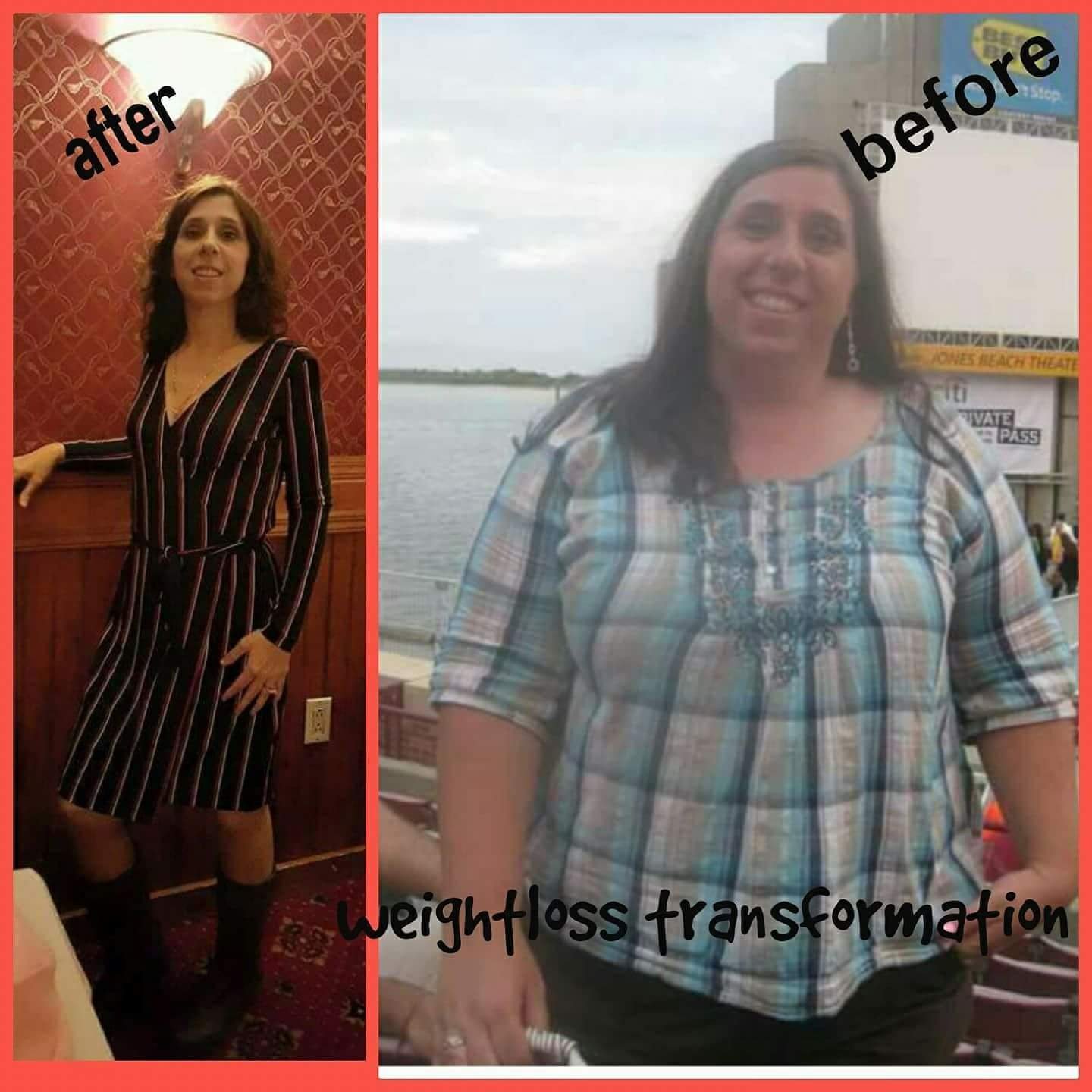
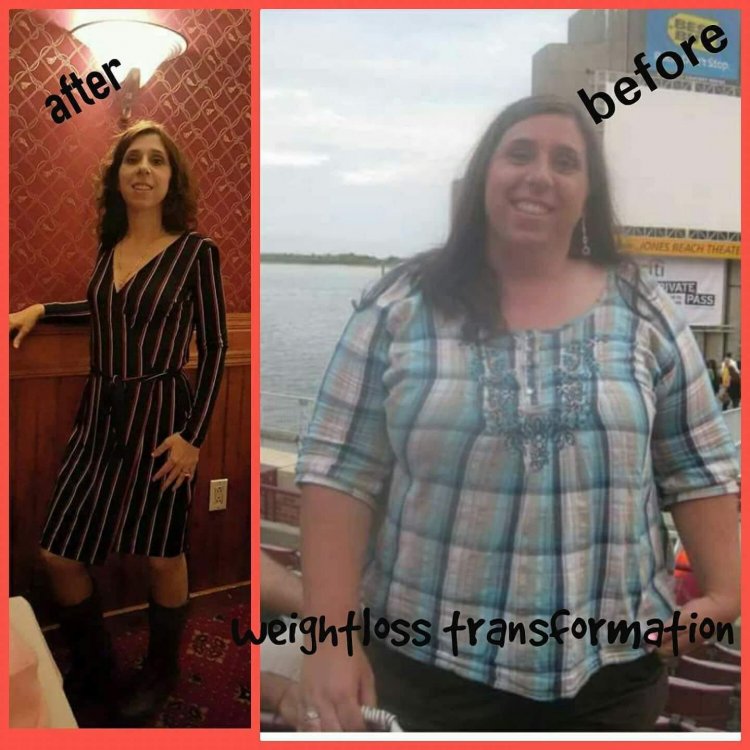
Hi. Good morning. I will be six years post op in December. I went from 268 to 117. I had the one loop DS or they call it the SADI.
-
Hi. Good morning. I live and I am from NYC.
-
-
I stick with the food I no I like . I enjoy meat, pork, and fish. I don't like turkey or chicken anymore. I am over three years post op. I like the fatty meats. My stomach likes it better.
-
Im doing well. I also go to the gym 3 to 4 times a week . This has nothing to do with maintaining my weight. I have MS so i make sure i go to mainly build strength in my legs and tone my body
-
I am over three years post op. I had the SADI with Dr. Roslin ! I went from 268 to 115/120. How far out are you?
-
-
-
Im from Brooklyn! I live in the border of bensonhurst/ borough park
-
Dialectical behavior therapy
-
It does take time. I don't regret the surgery at all. It helped me look at food completely different then prior. I don't over eat anymore and if i didn't have to eat trust me i wouldn't I don't get tempted by food. It will get easier as time goes by. Even when I go out for dinner i prefer certain foods that i enjoy if i don't like anything they have to offer i rather eat home. Prior before surgery I wouldn't care where i went to eat i just wanted to stuff my face and over eat. Now, it's completely opposite.
-
Head hunger. You have to replace the food addiction with something healthier. I go to the gym 3/4 × a week. Also, food turned me off especially after surgery and it still does. I had the SADI in December 2013 I went from 268 to 115. I also placed myself into counseling to address my food issue's. It has helped me tremendously and i was able to address my childhood trauma that i surpressed for 37 year's.
-
Hi. I had the one loop DS in December 2013. I went from 268 to 115. I have maintained my weight. I follow the food regimen of a person who had the traditional DS. I only eat protein and i don't eat sugar, pasta, potatoes, sweet potatoes, bread, corn or anything high in carbs. So far so good.
-
-
-
As long as it is helping you ,this is all that matters. Sent from my SM-G930P using the BariatricPal App
-
-
-
Brooklyn, NY Sent from my SM-G930P using the BariatricPal App
-
-
NYC Sent from my SM-G930P using the BariatricPal App
-
Are you currently in counseling. I would suggest that you place your self in it if you are not now bc it will definitely address any issues with food. When I did the psych she waspleased that I was in counseling to address whatever stuff that I didn't when i was a child. The psych gave me a list of questions and I was approved. She spoke to me about why I wanted tohave the DS loop and i passed it. My suggestion is to place yourself in therapy even if the psych didn't recommend it bc it is an adjustment to deal with the new you and trust me it will trigger stuff within you. I can onlyspeak for myself. I am three years post op in Dec i can say that I have a different relationship with food. I also had to switch therapists bc i needed a therapistthat was trained in dbt therapy (dbtselfhelp.com). This helped me tremendously. All the best with you. Sent from my SM-G930P using the BariatricPal App
-
Hi. I had the one loop DS in December 2013. My suggestion is also place yourself in therapy. This definitely helped me with head hunger and realized what triggered my stuff. Now I'm completely opposite when it comes to food. I eat bc i no i need to inorder to survive otherwise I really don't like food anymore. My goal is to maintain my weight. Not loose anymore. I learned that when I stopped overeating I had to replace it with something else so I make sure I exercise a couple of times a week. Even if i can't get to the gym i make sure I walk. My eating is 95%Protein on a daily basis. I have cut out sugar, Pasta, rice, bread, sweet potatoes, potatoes, corn, peas and anything high in carbs. I rarely eat fruit not bc it's bad but my taste buds changed drastically. We use the crock pot alot. Chili with no Beans, sausage, peppers and onions, ribs, skirt steak with the cream of mushroom Soup with the lowest carb count. The ribs and peppers and onions are placed in the crock pot with a cup of veg broth on low for 8 hours. I keep everything on low for eight hours. Even though I am three years out i like my food tender. I don't like chicken and turkey anymore bc my stomach don't like it bc it is not tender enough. I am still in therapy and focused on dbtselfhelp.com. This helped me tremendously. Sent from my SM-G930P using the BariatricPal App