Skip to content
View in the app

A better way to browse. Learn more.

BariatricPal

A full-screen app on your home screen with push notifications, badges and more.

To install this app on iOS and iPadOS
  1. Tap the Share icon in Safari
  2. Scroll the menu and tap Add to Home Screen.
  3. Tap Add in the top-right corner.
To install this app on Android
  1. Tap the 3-dot menu (⋮) in the top-right corner of the browser.
  2. Tap Add to Home screen or Install app.
  3. Confirm by tapping Install.
  • Appearance

Join BariatricPal free

  • Ask your own questions
  • Reply and follow topics
  • Message other members
  • No cost, no spam

adav06GT

Gastric Sleeve Patients
  • Joined

  • Last visited

  1.    KristenLe reacted to a post in a topic: Cpap machine
  2.    dke reacted to a post in a topic: Cpap machine
  3. My date is May 19th in Fort Worth! Good luck!
  4. My surgery date is coming up quick May 19th! I got my cpap machine almost 2 months ago and its been the greatest thing ever. Still struggle on occasion with wanting to rip it off in the middle of the night because I usually sleep on my stomach and can't do so with the mask. I use a nasal mask and its definitely taken getting used too. I can honestly say that I never knew how tired I was until after a few days of using the mask. I felt so rested and had so much more energy. Keep pushing to use it every night even if you start with using it for 4-6 hours out of the night. I fell asleep last night without putting it on (guess I was that tired) and I'm exhausted today. Can't wait to see if once I lose more weight if my sleep apnea will go away or not.
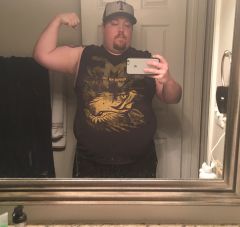
  5. Images added to a gallery album owned by adav06GT in Before and After Gastric Sleeve Photos
    adav06GT, a weight loss surgery photo album by adav06GT on BariatricPal. 1 photo in Before and After Gastric Sleeve Photos.


Account

Navigation

Search

Search

Configure browser push notifications

Chrome (Android)
  1. Tap the lock icon next to the address bar.
  2. Tap Permissions → Notifications.
  3. Adjust your preference.
Chrome (Desktop)
  1. Click the padlock icon in the address bar.
  2. Select Site settings.
  3. Find Notifications and adjust your preference.