SparkleTime
Gastric Sleeve Patients
-
Joined
-
Last visited
-
-
That's great!!! I feel the same way. I am 6 weeks out and only down 15lbs. I thought I would drop 20 like nothing. I started at 215lbs, so I figured I may lose slower. Hoping by the 2 month mark I can be down 20lbs. If I can average 10lbs a month I will feel secure in my weight loss!
-
-
-
-
-
-
-
-
-
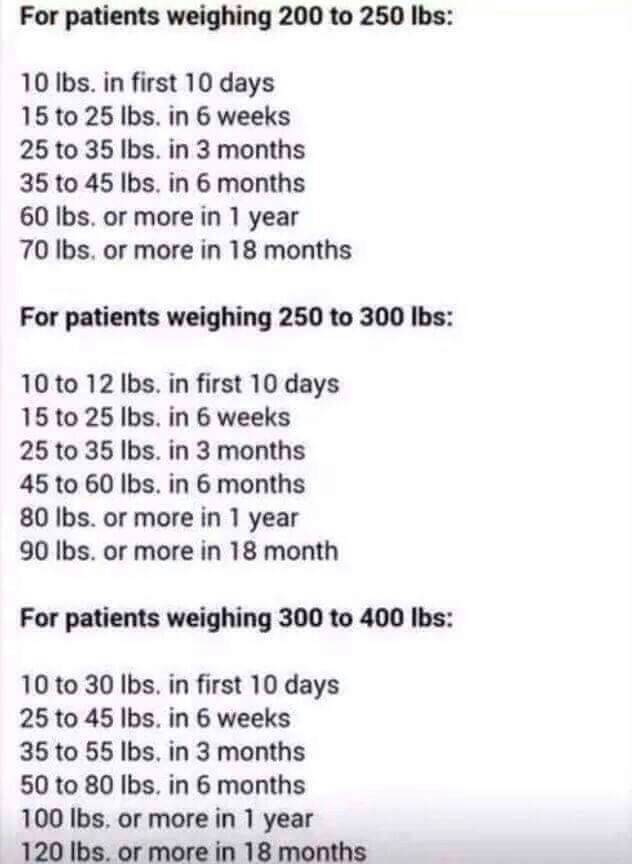
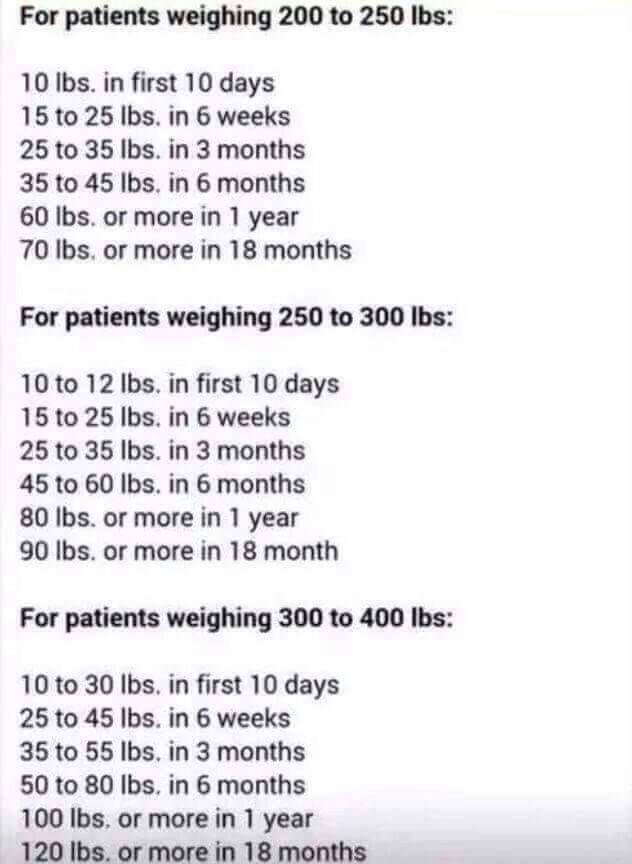
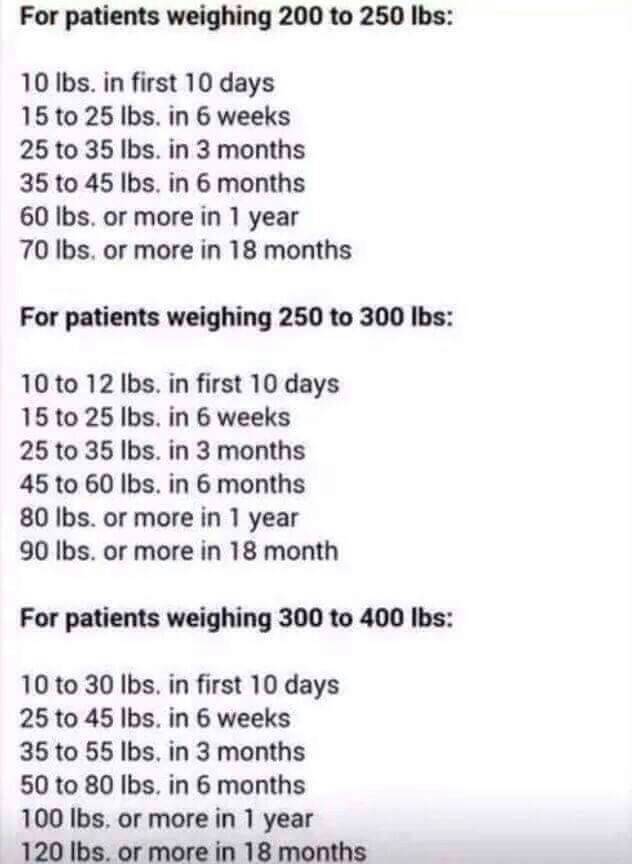
I will be six months out next week and I started at 244. I have lost 42 pounds. So far this chart runs true for me. It says I can expect to lose 35 to 45 pounds. Sometimes I feel disappointed in myself until I look at this chart again to remind myself that I am doing normal.
-
Sounds like you are doing great! My starting weight as 244. I just hit 3 months this week and I have lost 33 pounds. So this chart has run true for me. Good luck with your weight loss!This helped me know what the average weight loss is.
 My surgeon did not require a pre-op diet.My sister had surgery 2 weeks after her first appointment. It took me a month. We were both self pay.I love the liquid concentrate that you add to water sold at Metabolic Research. 7 packs for around 11 dollars. 15 grams of protien. It helps me get more water in a day too. Kiwi melon, fruit punch, blue raspberry and more flavors too. You do not have to be a customer at Metabolic Research to shop in their supply of high protien foods and drinks. I bought all sorts of things there a couple weeks ago and it has helped me alot.