my_new_lifetime
Pre Op
-
Joined
-
Last visited
-
-
-
-
-
-
Good luck! You will shine! Best thing I ever did!
-
I'm in. Weight 179. Goal weight 170
-
-
-
-
Good luck. I will be so happy you did it. I have no regrets. Remember to walk walk walk.
-
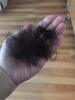
I started loosing a lot of hair around the three month mark. Now I don't wash my hair as often because I loose huge amounts every time I wash it. This was the worst day...
-
 my_new_lifetime reacted to a post in a topic:
I have been asked whether I am pregnant at least 20 times!
my_new_lifetime reacted to a post in a topic:
I have been asked whether I am pregnant at least 20 times!
-
-
-
-
-
-
-
Yes, I stalled right about at that time. It is natural. Don't worry. The weight will the come off.
-
-
-
-
-
-
No issues like that. As a matter of fact I had IBSD and now it is gone. So all my bathroom issues have been resolved. Now I get constipated occasionally but I take a. Still softener and I am ok. ????
-
Down 46 since July. Best decision I ever made! 28th

-
My surgeon wants me to take a chewable multivitamin with iron. Do any of these have iron?
-
How much have you lost? 40 pounds
-
Aww thank you. Soon you will be an inspiration to someone else!! Wait and see!
-
2 month update. I had my surgery on July 28th.

-
Thank you for all the awesome comments! Having this sleeve was the best decision ever! No regrets! The only regret is that I didn't do it sooner! ????????????????????
-
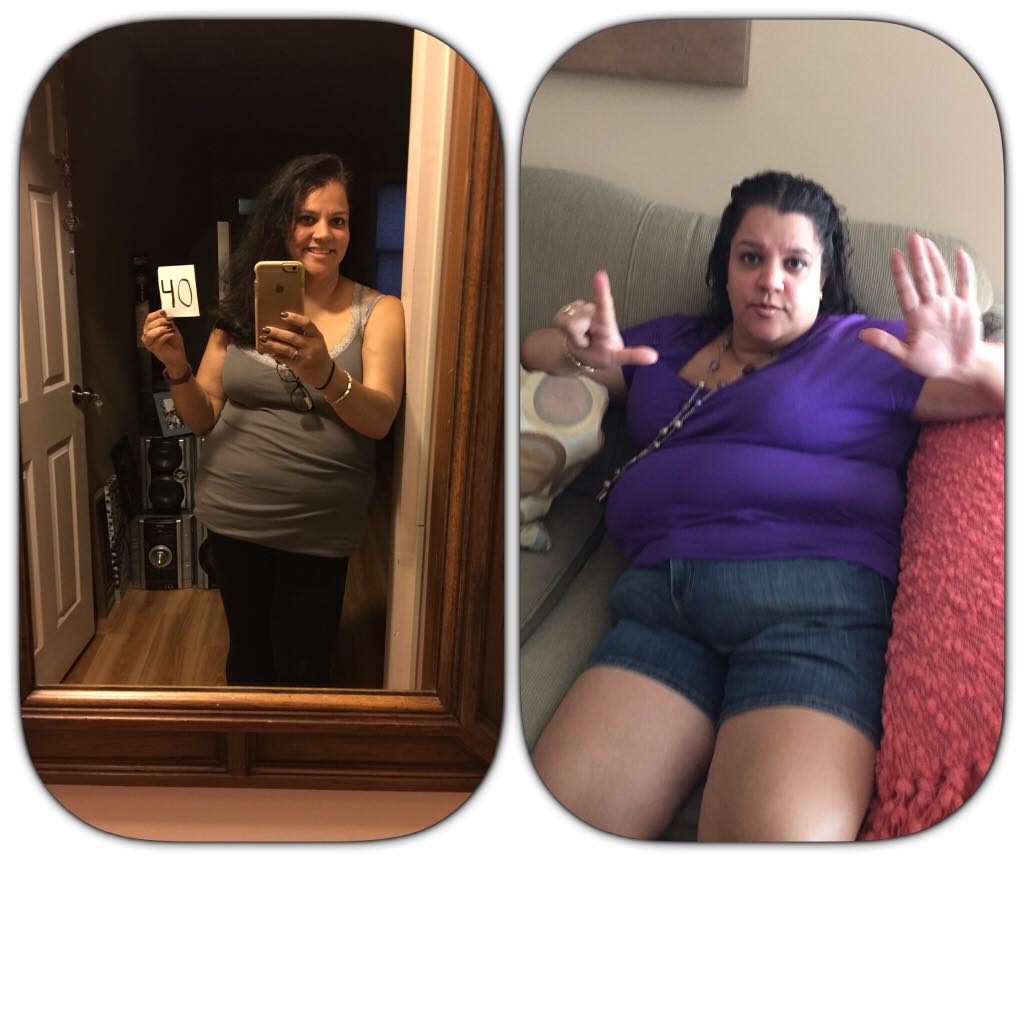
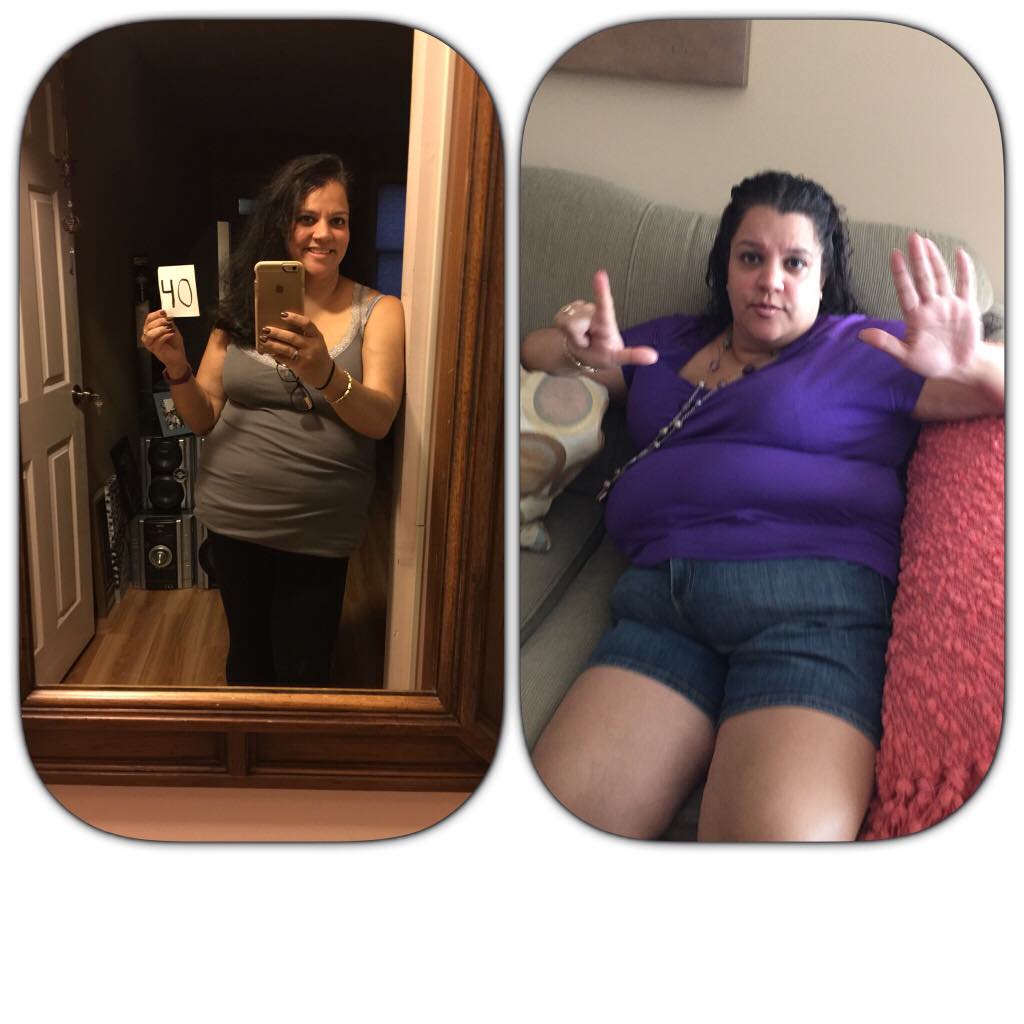
Hey folks! I'm happy to report that I have lost exactly 40 pounds since my surgery two months ago! Here is a picture taking today compared to one taken seven days before my surgery.

-
Hello. I can not tolerate meatballs and they cause me to vomit. I assume it has to do with breadcrumbs. I am two months post op. Will I ever be able to eat meatballs again? If so, how long did it take you to be able to eat them? Thank you in advance. ????????????
-
Good luck!