




Skip to content
View in the app

A better way to browse. Learn more.

BariatricPal

A full-screen app on your home screen with push notifications, badges and more.

To install this app on iOS and iPadOS
  1. Tap the Share icon in Safari
  2. Scroll the menu and tap Add to Home Screen.
  3. Tap Add in the top-right corner.
To install this app on Android
  1. Tap the 3-dot menu (⋮) in the top-right corner of the browser.
  2. Tap Add to Home screen or Install app.
  3. Confirm by tapping Install.
  • Appearance

Join BariatricPal free

  • Ask your own questions
  • Reply and follow topics
  • Message other members
  • No cost, no spam

Awarenessangel@gmail.com

Pre Op
  • Joined

  • Last visited

  1.    lindaras22 reacted to a post in a topic: Hello
  2.    wonder woman 12 reacted to a post in a topic: Hello
  3. Mine fixed my hiatal hernia while he is in during surgery and I have had no reflux since surgery [emoji4]
  4. Thank you Birdie . It is all worth the journey and glad your surgeon is making sure there are no surprises mine did too and I feel it adds to our success. So far so good and I am very glad I made this decision my only regret is that I should have made it years ago.
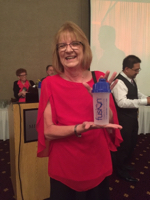
  5. Hello everyone I am new also to the site . I joined preop last year in June , had my rny 11/5/15 and have lost 102 pounds. Maintaining now is harder than loosing . It is always nice to have support out here in Internet land.

Account

Navigation

Search

Search

Configure browser push notifications

Chrome (Android)
  1. Tap the lock icon next to the address bar.
  2. Tap Permissions → Notifications.
  3. Adjust your preference.
Chrome (Desktop)
  1. Click the padlock icon in the address bar.
  2. Select Site settings.
  3. Find Notifications and adjust your preference.