pr_pitbullgrl
Gastric Sleeve Patients
-
Joined
-
Last visited
Everything posted by pr_pitbullgrl
-
Dump him. Someone that is trying to Cut You Down and refusing support wants to keep you down and he wants to keep you down for a reason. You should run as far away as you can Sent from my SM-G935V using the BariatricPal App
-
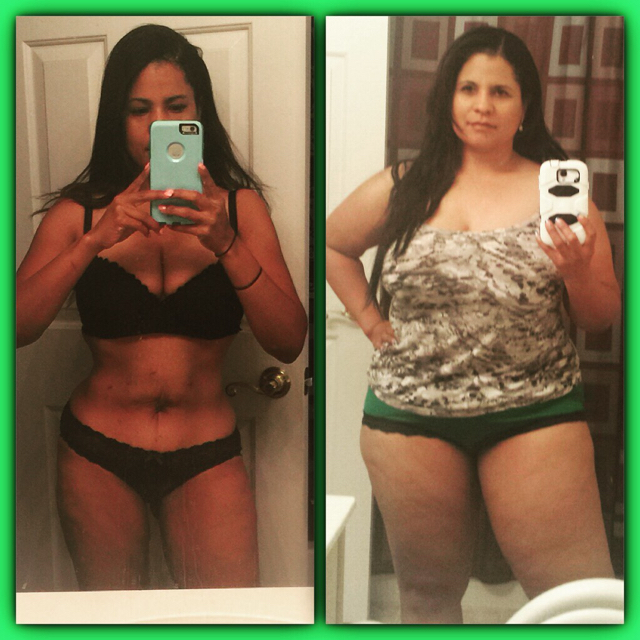
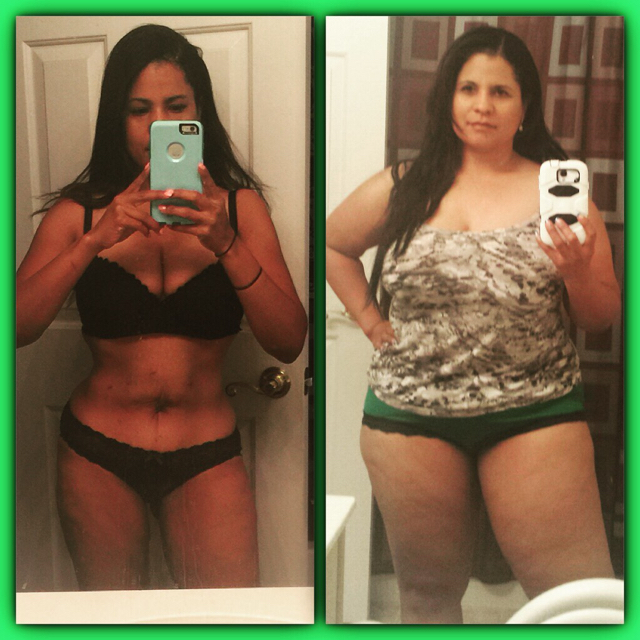
It's crazy because after a while once you hit "goal" you kind of run out of pictures to put up on Transformation Tuesday and yet here is another one. On the left that was one of my "skinny" outfits. Can't tell u How tight that corset was. I couldn't even sit down. i don't know if you ever really hit "goal" there always seems to be more work to do. 232 to 135lbs. (took 7 months basically)
-
@@Sherbear2 well i think everyone is different. make sure you're doctor says it's ok for you to work out. i went into full cardio mode and just ran and ran and ran for six months straight 3 to 5 days a week, did a little strength training but perhaps not enough. my diet was keto diet. (no carbs, no sugar, high fat) but i know some ppl do weights extra. i am saggy now so maybe some weights would have been good. im sure others have other ideas. you could just start with walking, walking your dog, or yoga or zumba or whatever u like long as u get active. i think my weight came off "fast" cuz i worked out often and hard. i was impatient to lose it. lol. good luck to you!!
-
Just messaged you Sent from my SM-G935V using the BariatricPal App
-
Dude!! I'm having all kinds of pain in my organs and shit right now and they can't figure out what it is! Maybe this is the answer. I need to talk to you. I been in urgent care twice. ER once. And primary once. I have abdominal ultrasound Monday. Please call me. DM me. Sent from my SM-G935V using the BariatricPal App
-
Thank you but of course you will! Everyone has their own journey. Enjoy yours! ???? Sent from my SM-G935V using the BariatricPal App
-
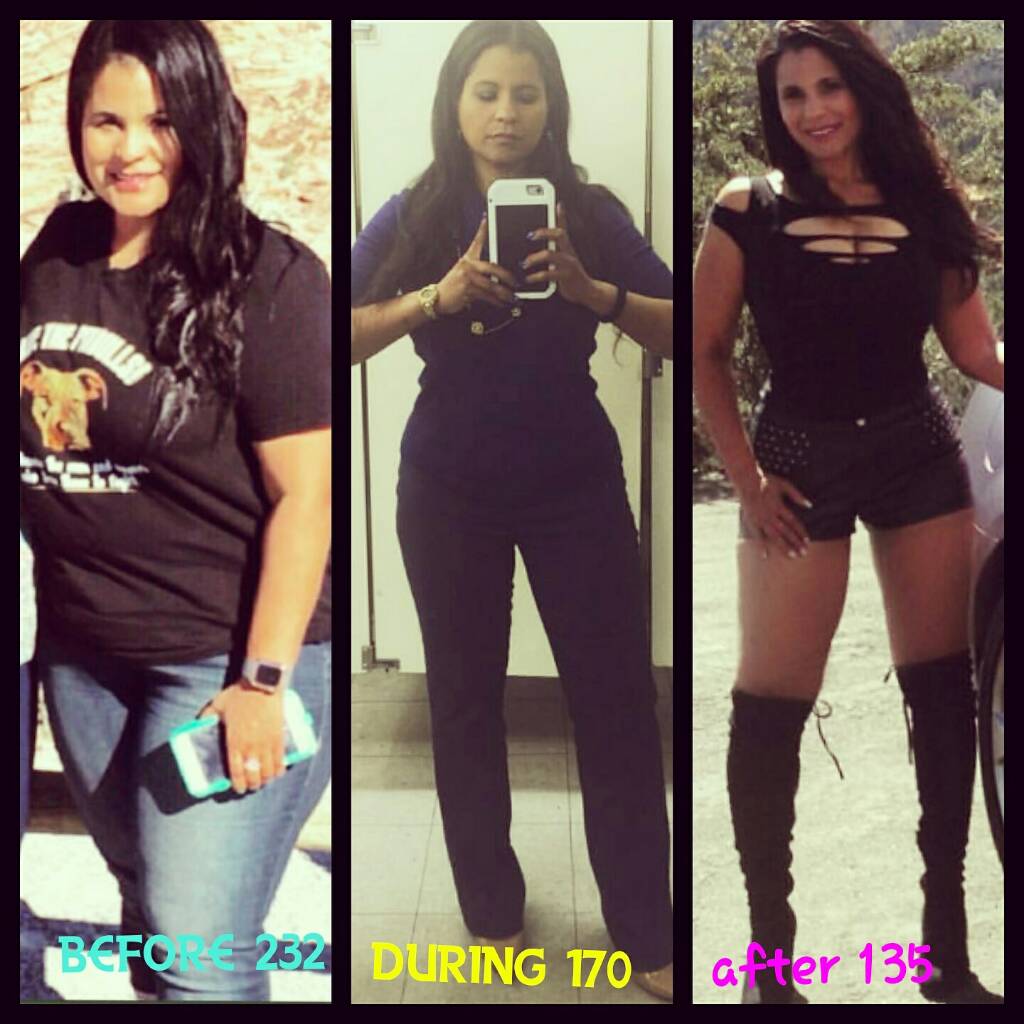
TODAY IS MY SURGIVERSARY!!! 97lbs lost!well wow what can I say? It's been quite a journey! The one thing I think i was unprepared for was the emotional/mental piece. It's not natural to see yourself in a state (at a weight/size) you've never been and then know how to deal with people's new reaction to you. I've been smaller before but never this small and it's a whole new world! Sleevers... What was it like? Well from surgery to liquid diets to pretty much seven months of working out five days a week. Low carb low sugar high fat high Protein diet to now. It wasn't easy. You can't just have surgery and sit around expecting to lose weight. You gotta work!! I reached "goal" bout seven months out. But you'll find your goal quickly changes as you realize you can do more. So work your ass off and don't give up! What's next? Toning this old body lol. Still work to be done. Starting weight 232 Goal 180, 160, 145 Current weight 135 Sizes 20 to 5 Sent from my SM-G935V using the BariatricPal App
-
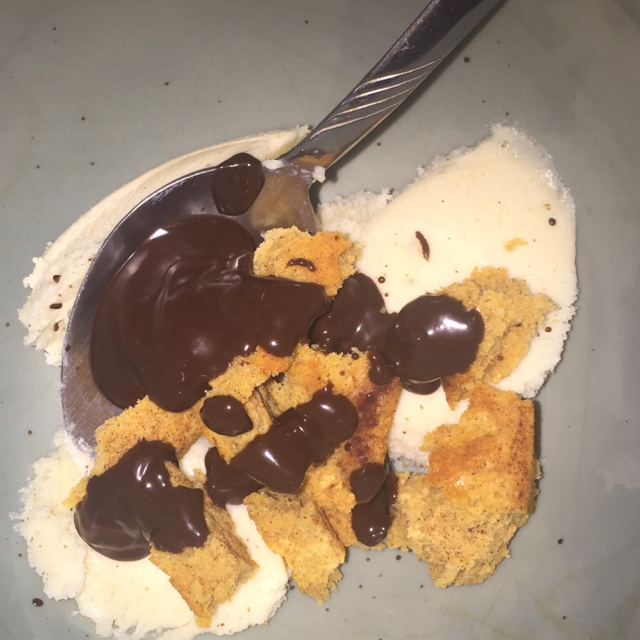
This was snickerdoodle quest protein snack (to die for) with halo too ice cream and sugar free chocolate syrup. Amazingggggg. Like 11net carbs.

-
Hi. Keto is low carb. Low sugar high fat diet. So when I stalled I increased my fats. Started cooking my eggs in butter or bacon fat. Eating fattier meats. Avocado. cheese Etc. Worked like a charm. I don't know if ur eating carbs or sugar etc but this is what's worked for me. Now I'm at 137lbs so if I want to have rice here or there or potatoes I'll have it but it's pretty rare and normally makes me hungrier and less satisfied or sick so I don't do it much.
-
i just went to the mr. olympia convention and tried Quest for the first time. they have a new waffle flavored one that legit tastes like a waffle with maple syrup. altho sweet for me the taste is amaze. they also have a new snickerdoodle Protein cookie that's killer. they also now have protein chips, goldfish crackers and pasta! the chips and goldfish are amaze. have tried the Pasta yet but i'm excited. their ingredients are far superior to others so i'll keep trying their stuff. it really fits my keto lifestyle.
-
@@TexasFred @@nmf0318 thank you! it's a work in progress
-
still kinda hovering between 140-138. still unwilling to go to the gym and have even been eating some carbs lately. but i've been extremely sick not that that's an excuse but i weigh myself everyday to try to stay on track tho really i need to stop being such a scale whore and get to lifting weights. #stillsomestruggles
-
@@Steph~L~16 i don't track calories. never have. i eat keto. no carb no sugar high fat. for me increasing my fat is what got me out of my big stall. its usually about eating more rather than less or more often. everyone is different but that's what worked for me. good luck!
-
i know everyone is different but i'll be a year out in October and i drink and eat whenever i want (yes, even at the same time with meals). ive had carbonation, ive had alcohol, ive had carbs. now as a general rule i don't do the carbs, carbonation nor sugar, i keep it pretty keto, but i CAN if i want without issue. if you aren't very far out definitely listen to your nutritionist just letting you know things get easier and your tolerance gets higher for certain things. just be patient.
-
@Rose1up! you look great!!!! how are you feeling? @@Aviobell you got this! @@lizardqueen absoutely. we've all been thru it. i'll be a year out in October and it's been a total life changer. i worry more about keeping weight on than gaining it but that's jsut me. im not a great slow eater. and i don't do the carbs hardly ever. some people can. you got this! we are all here for you.
-
@@Christy5913 do it! we never see ourselves the way others do and we are our own worst critics. my bff talked me into those pix and i was like F it. imma do it. whats the worst thing that can happen right? enjoy your new self!
-
so my BMI is in the normal range for the first time in my life. so wow for that. i honestly never thought i would be in the 130's ever. not ever. not even trying to lose at this point actually. i was trying to stay around 145 but i don't mind 138. and hey maybe i won't mind 135 either. who knows. here's some pix i took for my car club
-
Hey holly. I was at goal after around seven months
-
Still some work to do. Hired trainer this week. 232 to 141. Size 20 to size 5/6.
-
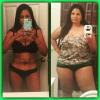
Still some work to do. 232 to 141. Size 20 to size 5/6. 5'3. Reached goal round seven months
-
sorry i been slackin friends. i have literally taken months off from working out. my weight is still fluctuating between 145-140. i'm eating mostly all keto tho i've been having some carbs lately. my weight isn't being affected more than that 3 or 4lbs. i decided to start weight training today. gonna go hard and see what i can do. i literally have no ass right now and it's really bugging me so i need to get going on that big time. so that's my main focus. hope you all are doing great! xo
-
@@suzieq3050 its a weird thing. i go thru days where i eat and eat and eat and i don't feel satisfied. then i go thru days where i don't even want to go thru the trouble of eating at all. smh. now i'm starting to lose weight for no reason. like literally im eating a lot and even eating carbs but i'm down 2lbs today. oh well. can't complain overall tho. im happy i just wish it made more sense that's all.
-
i posted a regret post around 3 months out as well. even 6 months out i think i posted one. now - 10 months out. i'm golden. not just my weight/size but also how and what i can eat is all good now. all i'm saying is, it takes time. so i hope, for your sake, that is the case as well. but you're right. it ISN'T the right decision for everyone. But you are still very early on in your recovery. hoping for the best for you. xo
-
Holy shit man. I've never done a side view transformation Tuesday. Ewww! lol. Yes I need to get my ass back and work on my FUPA but imma stop complaining now. Lol
-
@@Djmohr i eat too fast ALL THE TIME. then i get sick and don't end up eating enough but I don't mind it cuz it reminds me not to pig out really lol. I hear ya on that.